AI assistants
Ask Claude or ChatGPT what is on tomorrow
TradeSender has no AI of its own. Connect the assistant you already use and it works in your workspace as you, with your access.
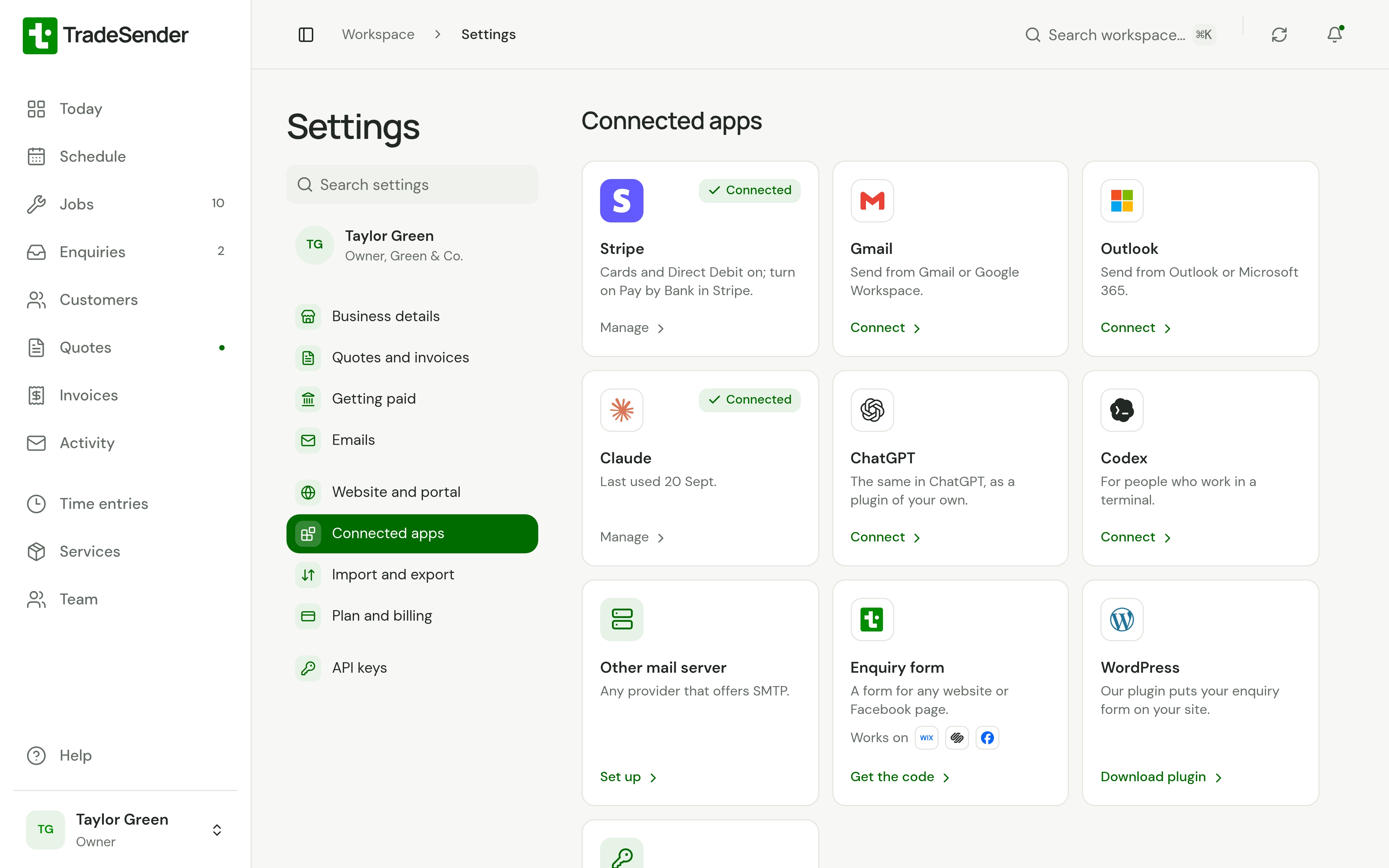
Shown with the demo workspace.


In the app today
Claude, ChatGPT, Claude Code and Codex, on every plan. You connect in a browser, and each person connects their own assistant.
- In Claude’s connector directory, and one address to paste into ChatGPT or Codex
- It works as you, with your access and no more
- Reads your customers, quotes, jobs, visits and invoices
- Drafts quotes, books visits and raises invoices when you ask
More capabilities and examplesThe rest of the list, with examples from a working week.
More capabilities
- Told to check with you before it emails a customer or records a payment
- Cannot change settings, bank details, the team or your plan
- See what is connected, and disconnect it, in Settings
- Each person connects their own assistant
Examples
- Ask what is on tomorrow and who is on each visit
- Ask who has not paid, and by how much
- Have a quote drafted from a description of the job
- Add a new customer and their gate code from a text message
Explore related features
Customer managementEach customer with their contacts and properties, and the gate code and access notes on the property where you need them.SchedulingBook visits, set up weekly or fortnightly rounds, and see the whole team on one calendar.InvoicingTurn a quote into a job and a job into an invoice, one at a time or a whole round at month end. Record payments and see what is still owed.
Send your first quote today
Add a customer and price the job on your phone or computer. Free to start, no card needed.
Ask a question and we will show you round in ten minutes.