Invoicing
Lawn care and landscaping invoices, from quote to paid
Build quotes from your own price list, turn accepted quotes into jobs and invoice the job when the work is done.
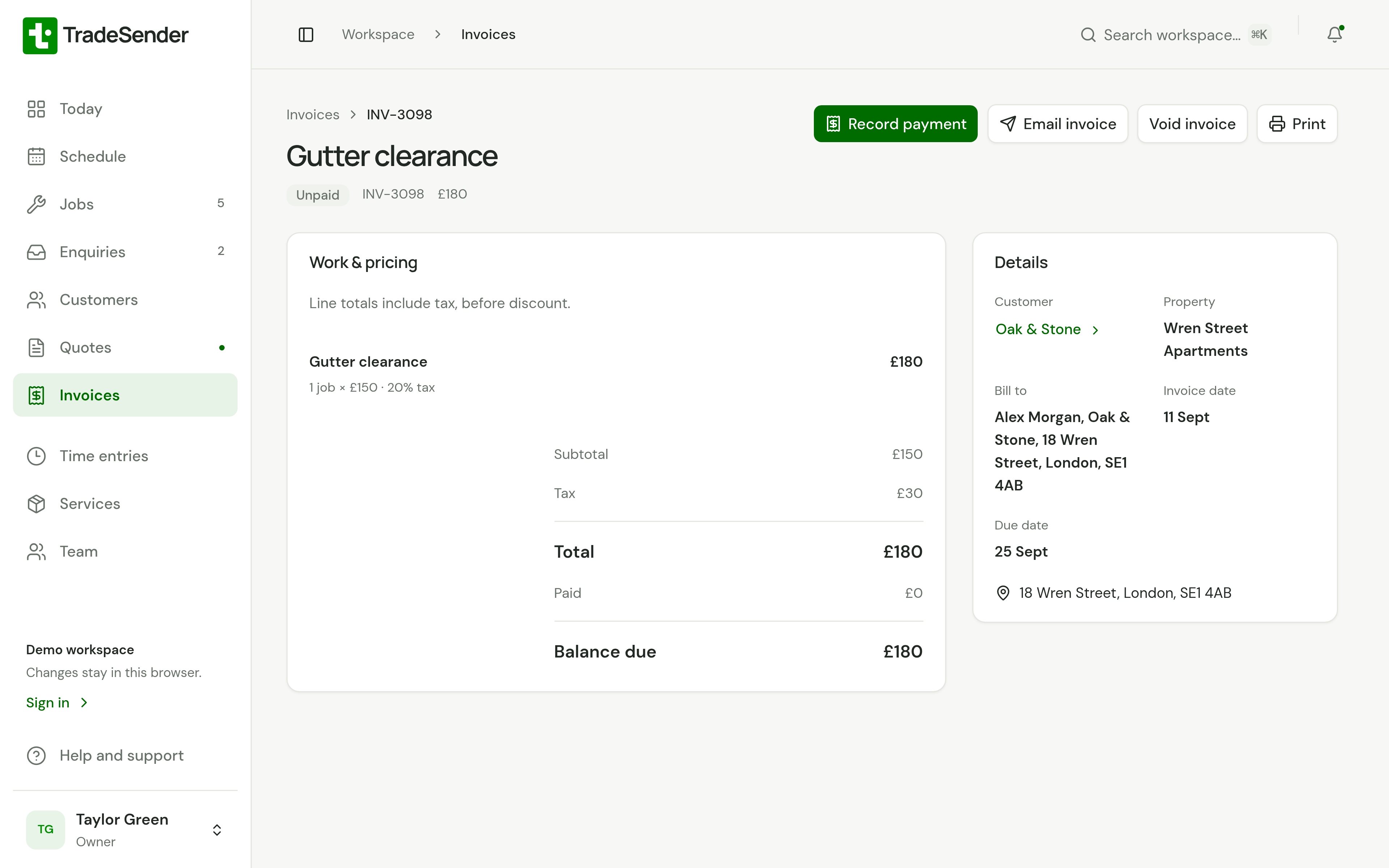
Shown with the demo workspace.


Invoice every visit on a round, or the whole round at month end
Set a job to bill per visit and each invoice picks up every completed visit not yet billed, with its date on its own line. Or set the round to month end and invoice every job on it in one run on the first of the month. Either way you type the customer and the price once, when you set the round up on the calendar.
VAT, discounts and deposits
VAT is set per line, so a VAT-registered business can mix zero-rated and standard-rated work on one invoice, and a business under the threshold leaves it at nothing. A discount and a deposit both come off before VAT. A deposit on a quote is invoiced the moment the customer accepts, and taken off the final invoice.
Direct Debit and card payments from the invoice
Connect your own Stripe account and the invoice email, the invoice link and the customer’s portal all carry a Pay button. Customers pay by card on every plan. On Pro and Business they can agree a Direct Debit mandate once in their portal, and TradeSender collects each invoice as it falls due. The money lands in your Stripe account; Stripe charges its fees and we add none. Bank transfers, cash and cheques are recorded by hand, and the invoice shows paid, part-paid or overdue.
Xero, and handing the month to your accountant
On Pro and Business, connect your Xero organisation and each invoice goes to Xero as you issue it, with the same number, lines and VAT, and the payments and write-offs follow it. When you or your bookkeeper match a bank transfer to it in Xero, TradeSender marks the invoice paid and its reminders stop. On any plan you can export the invoices and payments for a period as spreadsheet files, or as a file in the layout Xero’s invoice import takes. TradeSender does not connect to QuickBooks. The Xero guide has the steps, and our guide to accounting software for gardeners and landscapers covers the books side and Making Tax Digital.
In the app today
Web, iPhone and Android. Emailing a quote or invoice and sharing its PDF need a connection; anything you write offline is sent when you are back in signal. More in our guide: Lawn care invoice template.
- Quotes and invoices from your service price list
- VAT per line, discounts and payment terms
- Email quotes and invoices, and let customers accept a quote online
- Turn an accepted quote into a job with one tap
More capabilities and examplesThe rest of the list, with examples from a working week.
More capabilities
- Invoice a finished job without retyping it
- A deposit on a quote, invoiced when the customer accepts and taken off the final invoice
- Bill a round at month end, and invoice every job on it in one run
- Record full or part payments, or share one payment across a customer’s invoices
- Reminders for overdue invoices and unanswered quotes that send themselves, on Pro and Business
- What each line costs you, and its margin, for owners and the office only
- See paid, part-paid and overdue at a glance
- Download or share a PDF
- Send from your own Gmail, Outlook or other mailbox
- Your logo, an intro line and your terms on the quote your customer opens
- One invoice line for each visit on a round, with its date
- Invoices, payments and write-offs sent to Xero as they happen, on Pro and Business
- Export invoices and payments, or a file for Xero’s invoice import
Examples
- Quote a hedge reduction after a site visit
- Invoice a patio job the day you finish it
- Record a bank transfer when it arrives
- Check who still owes you at the end of the month
- Take a deposit for the slabs before you lay a patio
- Invoice the whole mowing round on the 1st
Explore related features
Send your first quote today
Add a customer and price the job on your phone or computer. Free to start, no card needed.
Ask a question and we will show you round in ten minutes.