Connect your accounting software
Send your invoices, payments and write-offs to Xero as they happen, and see payments recorded there come back to TradeSender.
Connect TradeSender to your Xero organisation, and your books keep up with the work. When you issue an invoice, it goes to Xero within a minute or two. Payments you record go after it, and so does a balance you write off. When you or your bookkeeper match a bank transfer to one of those invoices in Xero, TradeSender marks the invoice paid, so nobody chases a customer who has already paid.
What you need
- Pro or Business. Accounting sync is not on the Free plan: on Free, an owner's Xero sheet says "Your plan doesn't include accounting sync." in place of the Connect button, with See plans beside it. On Free you can still export your invoices for Xero as a file.
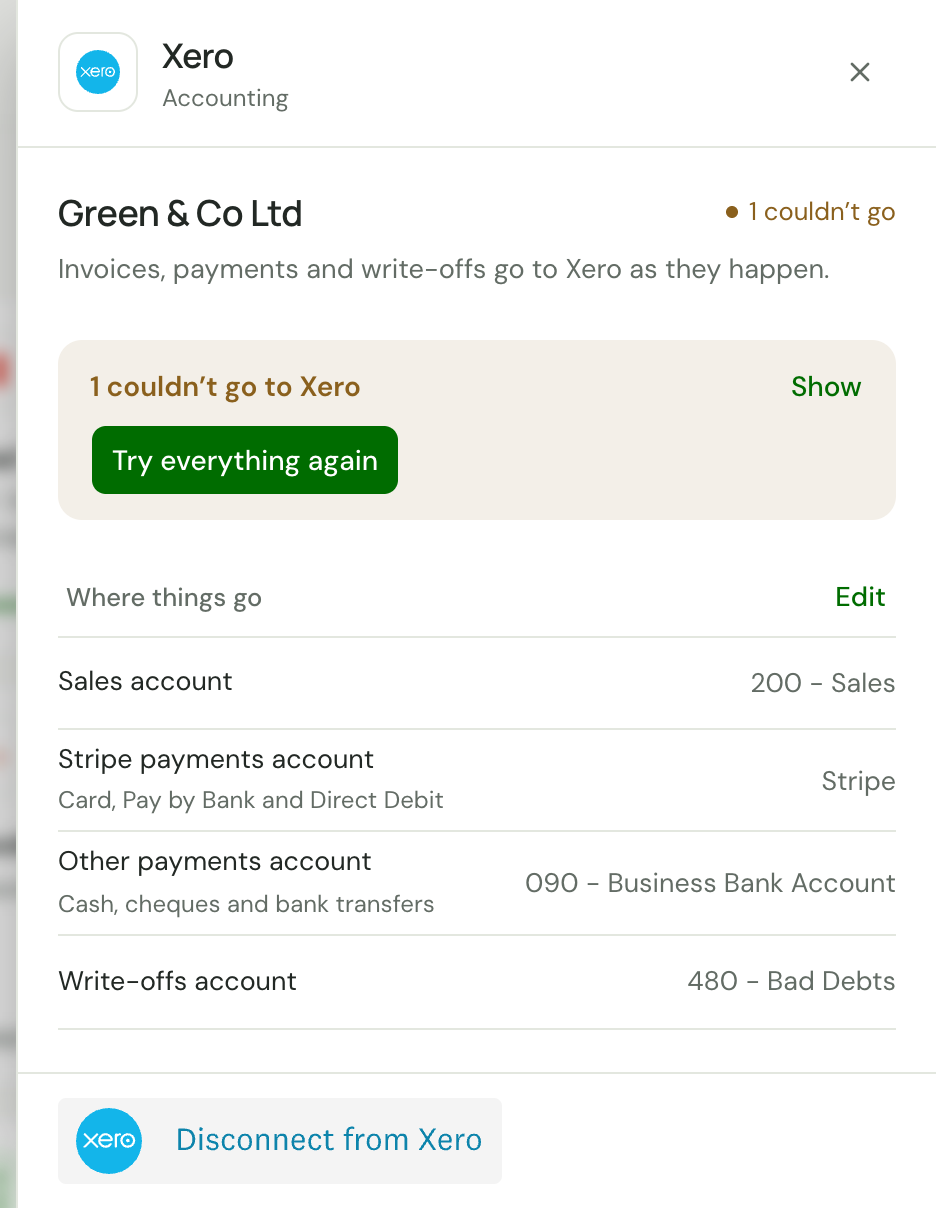
- To be an owner to connect, choose the accounts and disconnect. Office members see the connection and its problems, and can press Try everything again. Until an owner connects, Xero's card reads Not connected for them, and its sheet says "Ask the workspace owner to connect Xero." Technicians see none of it.
- A Xero organisation that you can sign in to.
- The web app. Xero is connected and managed in Settings on the web. The iPhone and Android apps do not show it.
What goes across
| In TradeSender | In Xero |
|---|---|
| A customer, the first time you issue them an invoice | A contact, or the one they already have there |
| An invoice you issue | An approved invoice with the same number, lines, VAT and total |
| A payment you record, or one taken online | A payment on that invoice, into the account you chose for it |
| A refund or a returned Direct Debit | The payment changed to what it counts for now |
| A balance you write off | A credit note for that amount, at No VAT, set against the invoice |
| An invoice you void | The invoice voided |
Changes to a customer's email address, phone number and address follow them to their contact. Their name does not change there after the first invoice: your books may know them by another name by now.
Only invoices issued after you connect go across. Anything issued before stays out, so an invoice you already entered by hand does not arrive twice.
What comes back
A payment recorded in Xero against an invoice that went from TradeSender comes back within 15 minutes. It appears on the invoice as a bank transfer with the note "Recorded in Xero", the invoice reads Paid when nothing is left, and its overdue reminders stop.
If that payment is later deleted in Xero, TradeSender marks it Failed with a note such as "Removed in Xero on 3 Nov", and the invoice is owed again.
Nothing else comes back. An invoice you type in Xero, a contact you edit there, or a payment against an invoice TradeSender never sent stays in your books.
Where you see it
- Settings, then Connected apps: a Xero card reading "Invoices, payments and write-offs go there by themselves." until you connect. Once you have, it reads Connected, with your organisation, the day you connected and anything that needs you. Choose the card to open Xero's sheet: the connection, where things go, and anything that could not go across. Search settings finds it too, as Xero.
- On each invoice's page, an Accounting field that reads In Xero, Waiting to go to Xero or Couldn't send to Xero. Couldn't send to Xero opens Xero's sheet in Settings, Connected apps.
- Under Needs attention on Today: "Xero needs reconnecting", or "2 couldn't go to Xero". See Today.
Good to know
- Nothing goes until you have chosen where sales and payments go. Invoices you issue before then wait, and go as soon as you save. See Connect Xero.
- One workspace connects to one organisation, and an organisation can be connected to only one workspace.
- Only invoices in your organisation's own currency go across. Any other is listed as a problem that names the currency.
- If your workspace moves to Free, the connection is kept and nothing is sent. Move back to Pro or Business and everything since catches up, so your books have no gap. See Disconnect or pause.
- With Xero connected, Export for Xero in Settings, Import and export reminds you that invoices since the day you connected "already go to Xero by themselves". Export only what came before.
- Your AI assistant and API keys cannot connect Xero or change where things go. That stays with an owner in the web app.
Next
Checked against the app on 10 November 2026. Still stuck? Ask usAsk us.