Automatic emails
Have TradeSender remind customers about overdue invoices, follow up quotes with no answer and remind them the day before a visit, for everyone or for one customer or invoice.
TradeSender can send three emails to your customers without anyone pressing a button: a reminder when an invoice is overdue, a follow-up when a quote has had no answer, and a reminder the day before a visit. Each one is off until an owner switches it on, and each customer and each invoice can be set on or off for itself. This page follows the web. The iPhone and Android apps have the same switches in Settings, under Emails.
Switch them on
Only an owner can change these settings. Office members can read them, and technicians do not see them.
-
Open Settings, then Emails, and find Automatic emails.
-
Switch on the ones you want. Each switch saves as soon as you turn it.
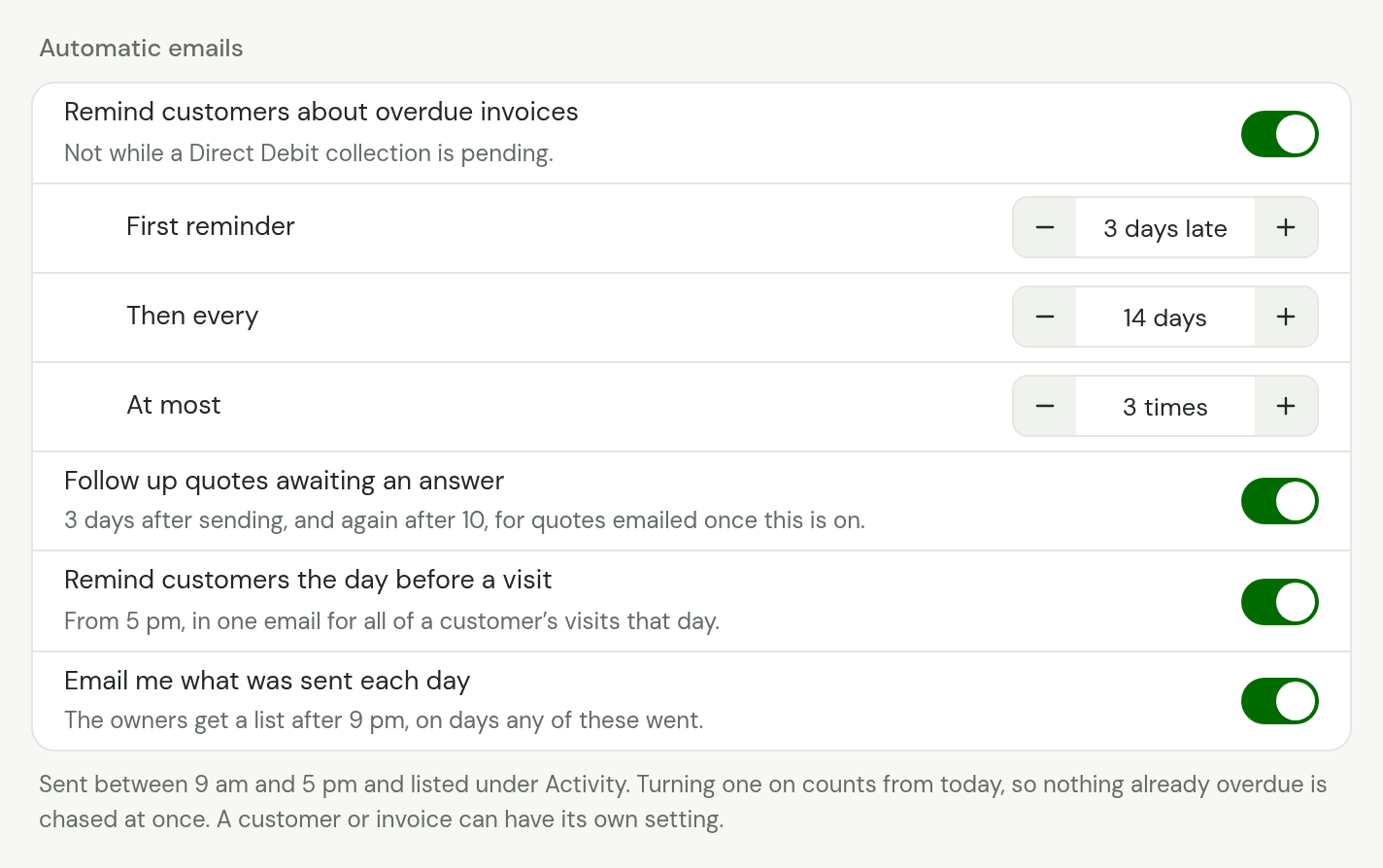
| Switch | What it sends | When |
|---|---|---|
| Remind customers about overdue invoices | A reminder for each overdue invoice, with the invoice attached | 3 days after the due date, then every 14 days, three times at most. You can change these |
| Follow up quotes awaiting an answer | A follow-up for each quote the customer has not answered, with the quote attached | 3 days after you first email the quote, and again at 10 days |
| Remind customers the day before a visit | One email to each customer, listing all of their visits the next day | From 5 pm the day before |
The fourth switch, Email me what was sent each day, is for you rather than your customers: see Hear what went.
Choose when overdue reminders go
While Remind customers about overdue invoices is on, three rows under it set when the reminders go, for every invoice. Change each with its minus and plus buttons. It saves a moment after your last tap.
| Setting | What it is | From | To |
|---|---|---|---|
| First reminder | Days after the due date | 1 | 60 |
| Then every | Days between reminders | 1 | 90 |
| At most | Reminders for one invoice | 1 | 10 |
They start at 3, 14 and 3. While the switch is off, the line under it says the rhythm in words, such as "3 days after the due date, then every 14 days, up to 3 times." Quote follow-ups and visit reminders keep the timings in the table above.
Payment terms belong on the customer and the invoice, as its Due date. These numbers count from that date.
The hours they go in
Invoice reminders and quote follow-ups go between 9 am and 5 pm. Visit reminders go between 5 pm and 9 pm. Both are by your Workspace time zone in Settings, Business details.
TradeSender looks once an hour for emails that are due. One that falls due outside those hours goes when they next open. Weekends are days like any other: a reminder due on a Sunday goes on Sunday.
Each one counts from when you switch it on
Switching on never sends a backlog. Nor does changing a timing.
- Overdue invoices. Switching on, or changing a timing, starts the count again from that day. An invoice that has had no reminder waits the First reminder days from then. One that has had a reminder waits the Then every days from then. What it has had still counts towards At most.
- Quotes. Only quotes you email after switching on are followed up. A quote sent before that is left alone.
- Visits. The first reminders go the same evening, for the next day's visits.
Set them for one customer, or one invoice
The switches in Settings decide for everyone. A customer, and an invoice, can each decide for itself.
| Setting | Means |
|---|---|
| Workspace default | Follow the switch in Settings, Emails |
| On | Send, even while the switch in Settings is off |
| Off | Never send |
The most particular setting wins: an invoice's own, then its customer's, then the switch. So you can leave reminders off for everyone and chase one slow payer, or leave them on and spare one customer who always pays at the end of the month.
On counts from the moment you set it, as switching on does. An invoice that is already overdue waits the First reminder days from then, and a quote emailed before then is not followed up.
For a customer
Open the customer, choose Edit details, and under Automatic emails choose Workspace default, On or Off for each of Overdue invoice reminders, Quote follow-ups and Visit reminders. Then choose Save changes. The same three are on the New customer form, at Workspace default to begin with.
A setting that is not Workspace default shows under Contact details on the customer's page, such as Visit reminders, "Off". You can still email that customer a quote or an invoice yourself.
For an invoice
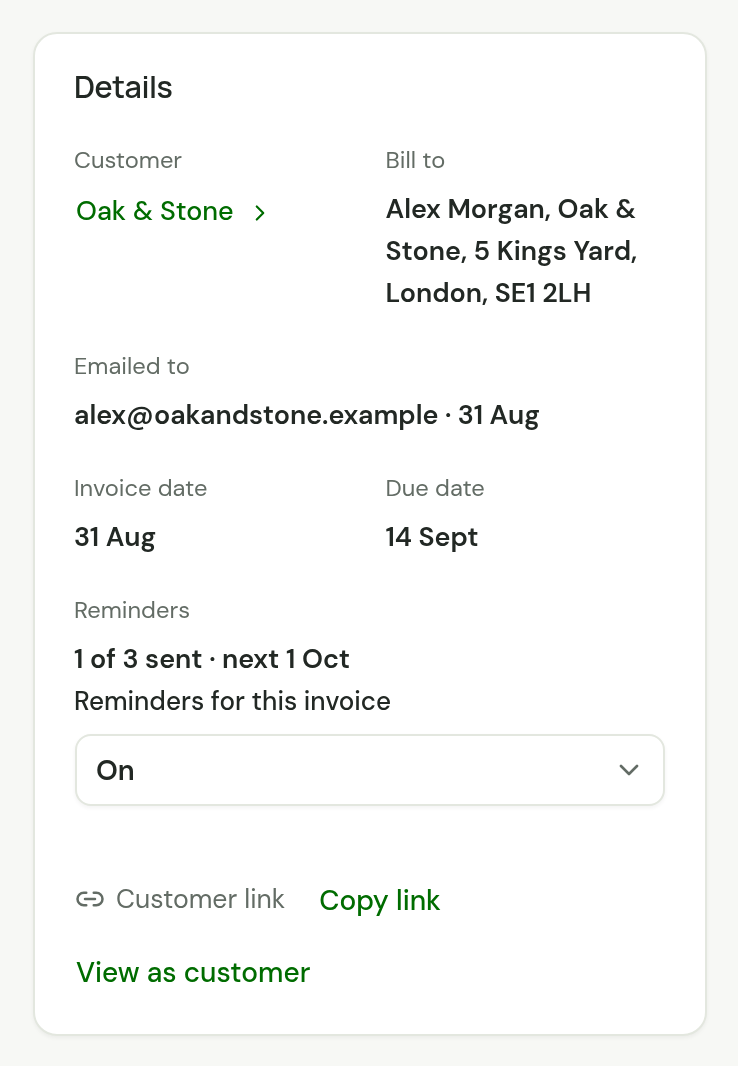
On an invoice that is finalised and not paid, Details has a Reminders row, with Reminders for this invoice under it. Owners and office members choose Workspace default, On or Off. It is saved straight away, and works on an invoice you have already sent.
Who is never sent one
- a customer with no Email address
- a customer you have archived
- a customer or an invoice set to Off, or left at Workspace default while the switch is off
Overdue invoice reminders
A reminder is about one invoice. It asks for what is still owed and carries the invoice as a PDF.
- It goes whether you emailed the invoice or marked it as sent.
- It stops when the invoice is paid in full, voided or written off. A part payment does not stop it: the reminder asks for the balance.
- It is not sent while a payment is on its way (the invoice reads Being collected), while a Direct Debit is waiting to collect the invoice, or while a payment is in dispute.
- When a collection fails, or you refund a payment, the invoice owes money again. It is left alone for the First reminder days and then reminded, and the reminders it had before still count.
- Its link opens the invoice's page, where your customer pays when you take payment online. The reminder has no payment button of its own.
- A customer with three overdue invoices gets three emails, one for each, and they can arrive together.
- After the last reminder TradeSender sends no more for that invoice. It stays under Payment overdue in Needs attention until you deal with it.
Where an invoice's reminders stand
The Reminders row on the invoice says how many have gone and when the next can go, such as "1 of 3 sent · next 30 Oct". When none will go, it says why:
| It reads | Because |
|---|---|
| Off in Settings | The switch is off and nothing on the customer or the invoice says On |
| Off for this customer | The customer is set to Off |
| Off for this invoice | The invoice is set to Off |
| No email address | The customer has none |
| Customer archived | You archived the customer |
| Being collected | A payment is on its way |
| Direct Debit collects it | Their Direct Debit will take the money on its day |
| Not on your plan | Your workspace is on Free |
| "3 of 3 sent" | It has had them all |
The day in the row is the first on which the next one can go. It goes in that day's sending hours.
Send one now
You do not have to wait. Owners and office members can open an invoice with something left to pay and choose Send reminder now at the top of its page. In the phone apps it is in the invoice's menu.
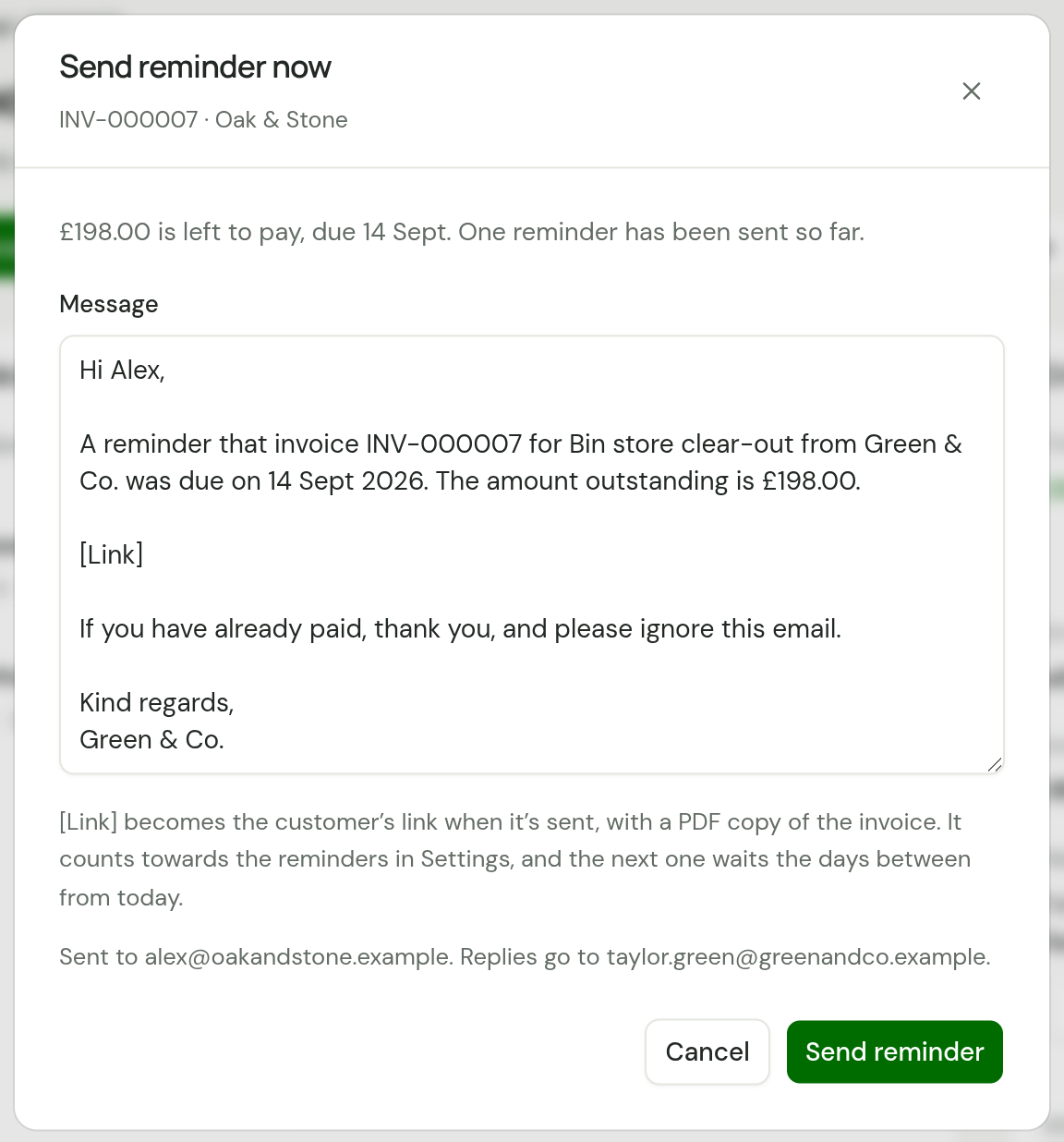
The Message box holds your Overdue invoice reminder note, filled in for this invoice. Change it if you like, then choose Send reminder. Your customer gets the same email as an automatic reminder, with their link and the PDF.
- It counts towards At most, and the next automatic reminder waits the Then every days from it.
- It goes even when reminders are off for the invoice or the customer. You chose to send it.
- One reminder a day for each invoice. If someone, or TradeSender, has already sent one today, you see who: "TradeSender already reminded this customer about this invoice today. Another can be sent tomorrow."
- It is not offered while the invoice is being collected or a Direct Debit is waiting to collect it.
- Every workspace has it, and it counts towards the 100 emails a day you send by hand.
Quote follow-ups
- Only a quote you emailed is followed up. One you gave the customer another way, with Mark as sent without emailing, is not.
- The days count from the first time the quote was emailed.
- If anyone emails the quote again, TradeSender waits 3 days before it follows up.
- Nothing goes once 17 days have passed since the quote was first emailed, so an old quote is not chased weeks later.
- Nothing goes once the quote is accepted, declined or expired.
Visit reminders
Each customer gets one email, however many visits they have that day. It lists each visit on a line: the times, the job's title and the first line of the address.
- Work visits and quote visits both count, while they still read Scheduled.
- A visit gets one reminder. If you drag it or edit it to another time after the reminder has gone, the customer is not told again, so tell them yourself.
- A visit booked for tomorrow after 5 pm is picked up within the hour. That email lists the customer's whole day again.
- No reminder goes after 9 pm, or for a visit that starts within 6 hours.
What your customer receives
| Overdue invoice | Quote follow-up | Visit reminder | |
|---|---|---|---|
| Subject | "Payment reminder: invoice INV-000005 from Green & Co." | "Your quote Q-000004 from Green & Co." | "Your visit from Green & Co. tomorrow", or "Your visits" for more than one |
| In it | Your note, their link to the invoice, and the invoice as a PDF | Your note, their link to the quote, and the quote as a PDF | Your note with the day's visits. No link and no PDF |
| Sent from, with no mailbox connected | invoices@tradesender.co.uk | quotes@tradesender.co.uk | visits@tradesender.co.uk |
Each comes under your business name, with your logo at the top if you have uploaded one. With your own mailbox connected, all three come from your own address.
The link in a reminder or a follow-up is the customer's own, as in the email you sent first. It opens the invoice or the quote and signs them in to their customer portal.
A reply goes to your connected mailbox. With no mailbox it goes to your Business email. With neither, it goes to whoever chose Send reminder now, or for an automatic email to an owner of the workspace.
Each email goes to the customer's own Email address. An address you typed into Send to for one quote or invoice is not used.
Hear what went
Everything TradeSender sends, by itself or for one of you, is listed in Activity, newest first.
With Email me what was sent each day switched on, each owner gets one email after 9 pm on any day an automatic email went. It lists each one with the customer, the kind of email and the invoice or quote number, and links to Activity. On a day when nothing went, there is no email. The switch is on to begin with.
Other emails TradeSender sends by itself
Two more emails go without anyone pressing a button. They have no switch, because each follows from something a customer or their bank did.
| Sent | To the customer when | Stopped by setting the customer's Overdue invoice reminders to Off |
|---|---|---|
| The deposit invoice | They accept, on its page, a quote that asks for a deposit | No |
| "We couldn’t collect invoice INV-000010 by Direct Debit" | A Direct Debit for their invoice fails | Yes |
Neither counts towards the 200 a day below, and neither is in the daily email.
Change what they say
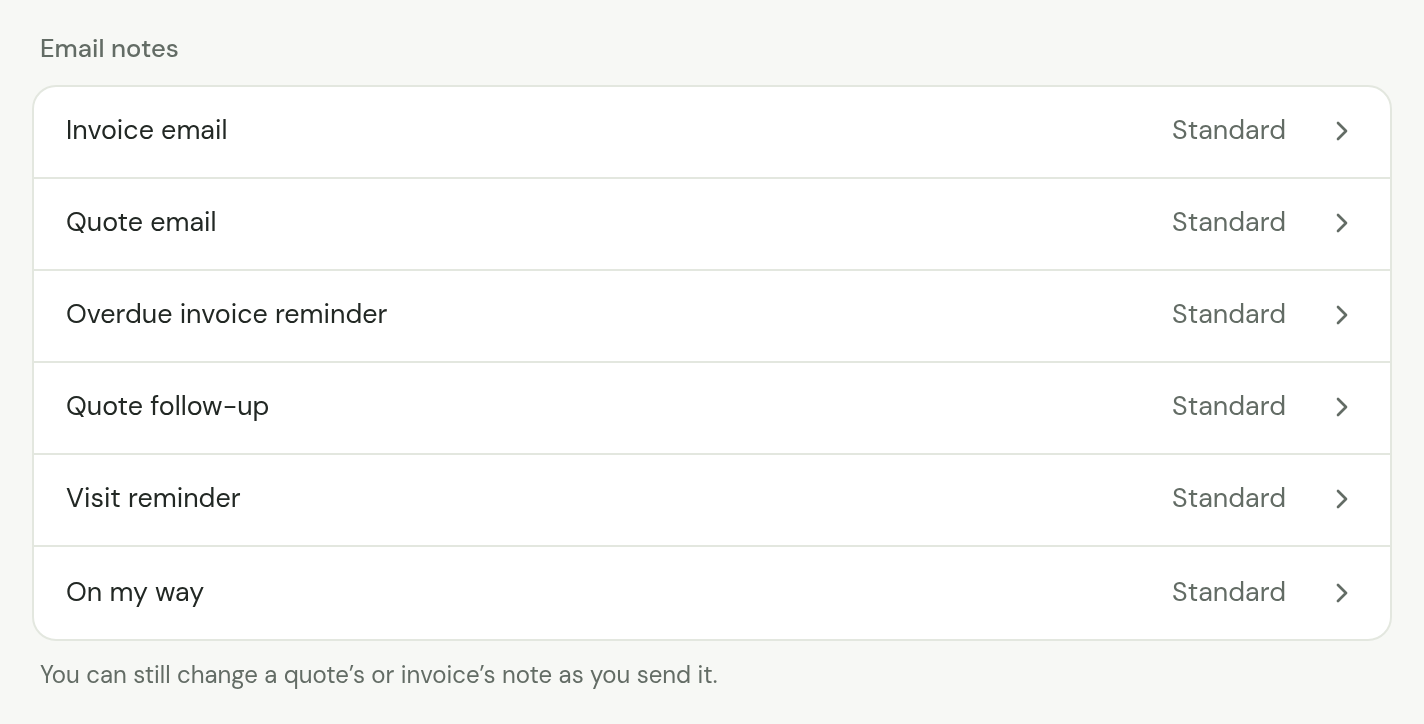
Open Settings, then Emails. Under Email notes, choose Overdue invoice reminder, Quote follow-up or Visit reminder. Each row reads Standard until you write a note of your own, and Changed after. Only an owner can change them.
The note opens beside the email it makes. You write on the left, up to 2,000 characters, and Insert has a button for each placeholder the note takes. On the right, What Margaret Hale gets shows the email a sample customer would get, with its subject and the note filled in, and it changes as you type. Choose Save to keep your note, Cancel to leave it as it was, or Use the standard note to put the standard wording back.
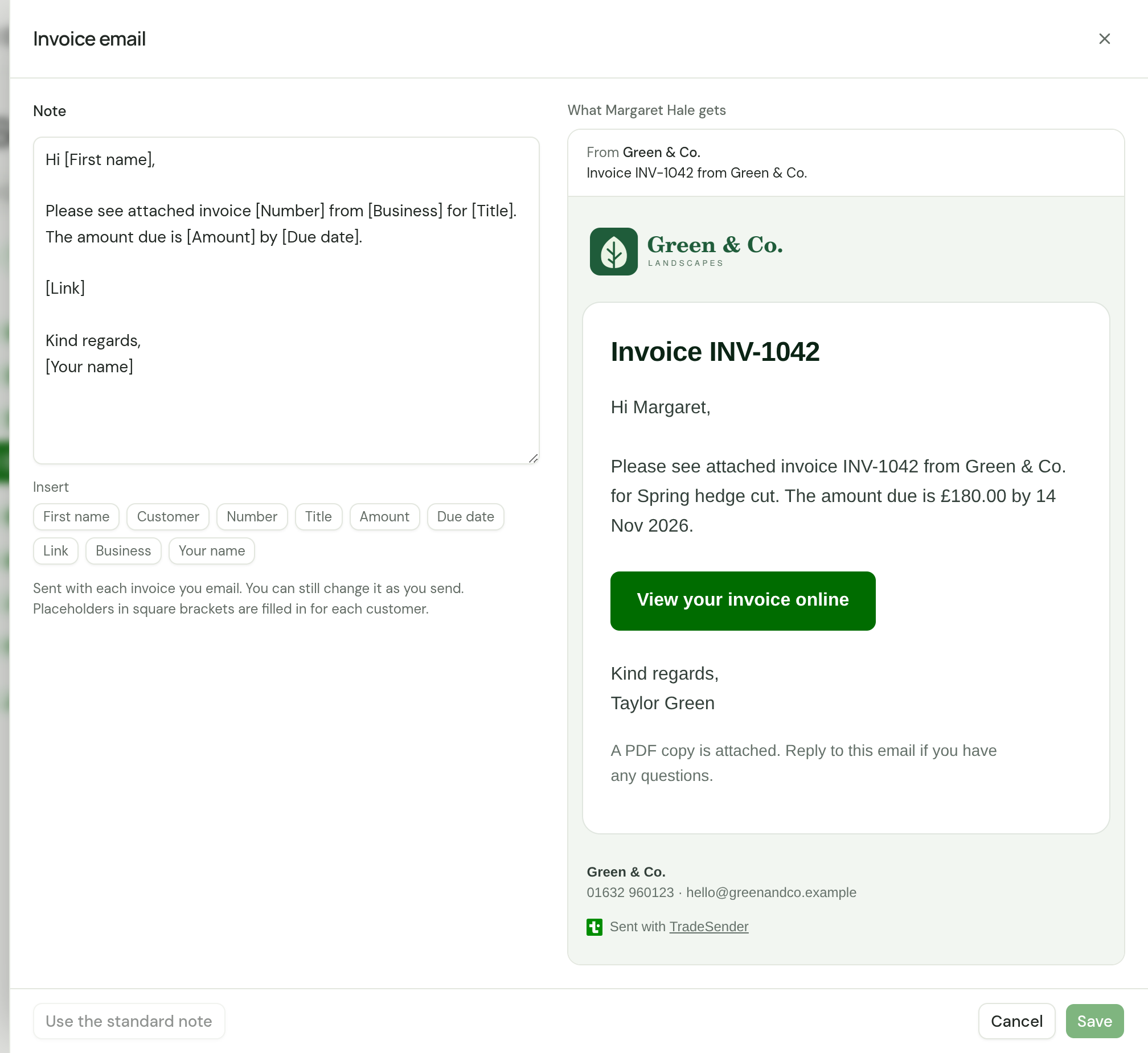
The standard reminder for an overdue invoice:
Hi [First name],

A reminder that invoice [Number] for [Title] from [Business] was due on [Due date]. The amount outstanding is [Amount].

[Link]

If you have already paid, thank you, and please ignore this email.

Kind regards,
[Business]
The standard quote follow-up. The sentence about Valid until is left out for a quote with no last day:
Hi [First name],

Just checking you received quote [Number] for [Title], totalling [Amount]. It is valid until [Valid until].

[Link]

If you have any questions, reply to this email.

Kind regards,
[Business]
The standard visit reminder:
Hi [First name],

A reminder that [Business] is booked to visit you tomorrow, [Visit date]:

[Visits]

If that no longer suits, reply to this email.

Kind regards,
[Business]
| Note | Placeholders it takes |
|---|---|
| Overdue invoice reminder | The same as the invoice note. [Amount] is what is still owed |
| Quote follow-up | The same as the quote note |
| Visit reminder | [First name], [Customer], [Business], [Visit date] and [Visits] |
[Visits] becomes the list of that day's visits, such as "08:30 to 09:15: Weekly lawn cut at 14 Elm Grove". A note without [Visits] gets the list at the end. Nobody presses Send on the automatic emails, so [Your name] is your business name. In a reminder sent with Send reminder now it is the name of whoever sent it. Quote and invoice settings lists the rest.
See what was sent
Each automatic email is listed under Sent on the customer's page, as Payment reminder, Quote follow-up or Visit reminder, with its subject, the address it went to and the day. See What has been sent. Activity lists every customer's together.
Sent lists what TradeSender sent. It does not know whether an email arrived, and a reminder to a dead address is sent every time.
The plan they need
Automatic emails are on Pro and Business. On the Free plan the switches are greyed out, with "Automatic emails aren’t included on the Free plan." An owner sees See plans beside it. A customer or an invoice set to On sends nothing on Free either. Send reminder now works on every plan.
If your workspace goes down to Free, TradeSender keeps your switches, your timings, your notes and each customer's and invoice's settings, and sends nothing. A switch left on can still be turned off. When you subscribe again, it counts as switching on afresh: an invoice that has had no reminder waits the First reminder days, one that has had a reminder waits the Then every days, and quotes emailed before then are not followed up. See Plans and limits.
Good to know
- A workspace sends up to 200 automatic emails in any 24 hours. An email held back by that limit goes later, if its time has not passed. This is separate from the 100 emails a day you send by hand.
- A reminder can cross a payment: the customer pays by bank transfer, and the reminder goes before you have recorded it. The standard note ends with a line for that. Record payments as they arrive, because TradeSender knows about a bank transfer only once you record the payment. A payment made online records itself.
- Each of these emails needs the customer to have an email address. A month-end run tells you which customers have none: see Invoice at month end.
Checked against the app on 29 October 2026. Still stuck? Ask usAsk us.