Ask for a deposit
Put a deposit on a quote, have it invoiced the moment the customer accepts, and see it come off the invoice for the work before VAT.
A quote can ask for a deposit: money up front, for the slabs you have to buy before the patio is laid. When the quote is accepted, TradeSender invoices the deposit straight away. When the work is done, the job's invoice takes the deposit off. Owners and office members set this up, on the web and in the iPhone and Android apps. This page follows the web.
Deposits are for one-off work. Read A deposit on a round before you put one on a job you bill by the visit.
Put a deposit on a quote
-
Write the quote as usual: see Create and send a quote.
-
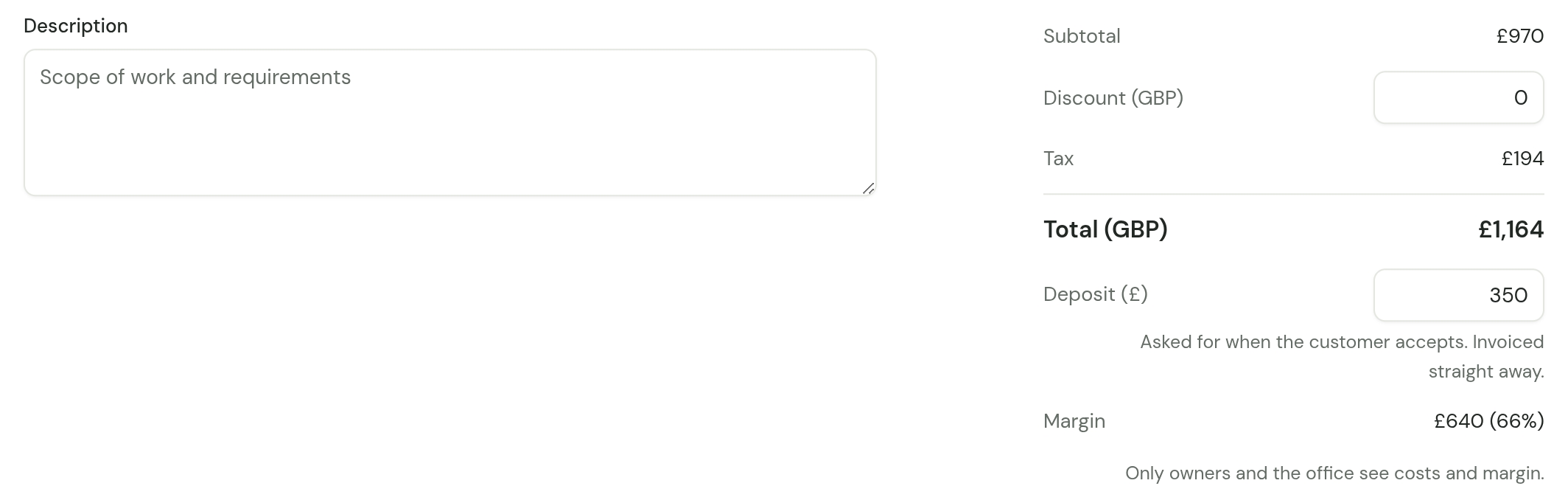
Under Total, type the amount in Deposit (£). It is what your customer pays up front, with VAT included.
-
Choose Save draft, then send the quote.
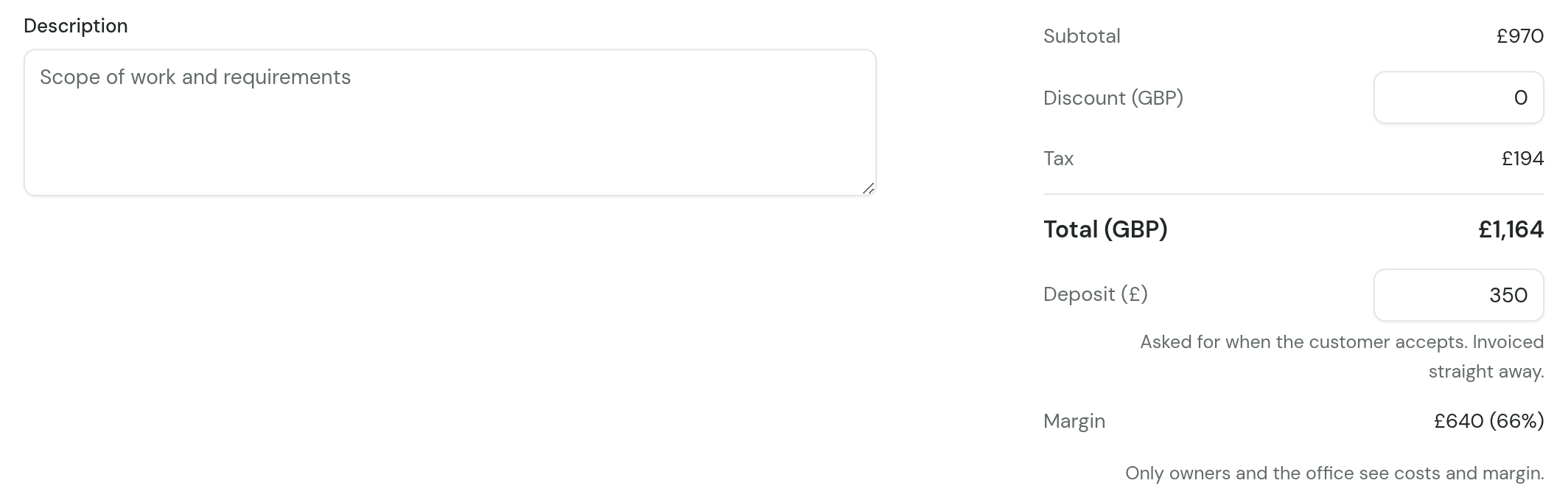
- The deposit is an amount, not a percentage. For 30% of a £1,164 quote, work it out and type 349.20.
- It cannot be more than the quote's total. The form says "The deposit can’t be more than the total."
- Leave it at 0 for a quote with no deposit.
- You set it while the quote is a draft. Once the quote is sent, send a new quote to change it.
The quote's page then shows Deposit under Details, such as "£253.80 when accepted".
What your customer is told
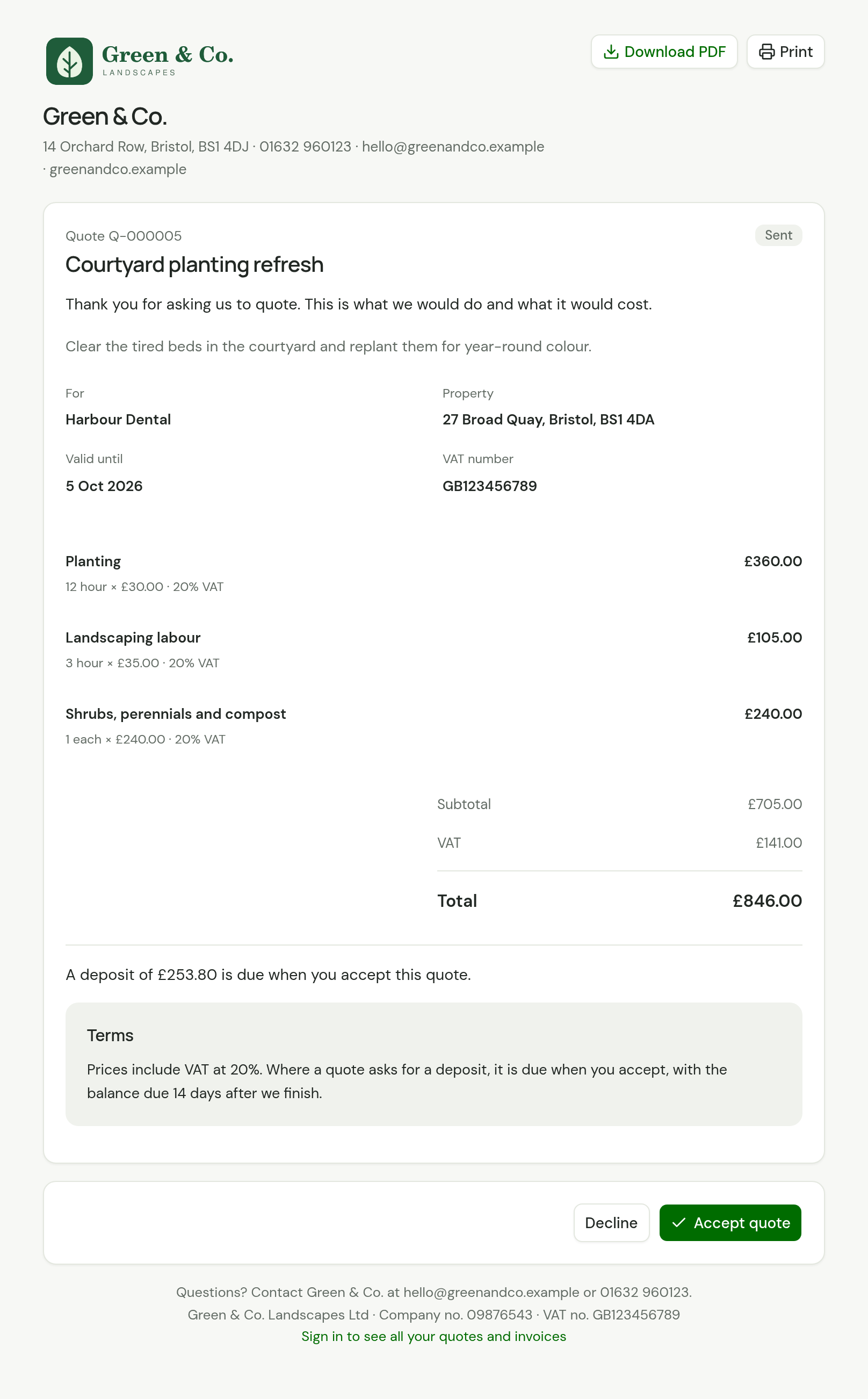
Until they answer, the quote's page says so above the terms: "A deposit of £253.80 is due when you accept this quote." The PDF says the same.
When the quote is accepted
Accepting the quote issues an invoice for the deposit, there and then. What happens next depends on who accepted it.
| Your customer accepts on the quote's page | You choose Record acceptance | |
|---|---|---|
| The deposit invoice | Issued at once | Issued at once |
| Emailed to the customer | Yes, straight away, with your standard invoice note and the PDF | No. Send it yourself with Email invoice when you are ready |
| What you see | The quote reads Accepted, and TradeSender emails your business that they accepted | "Quote accepted. Its deposit invoice is ready to send." |
Your customer accepts online
The page thanks them and leads straight to the invoice: "Thanks. Your deposit invoice INV-000016 for £504.00 is ready.", with the button Pay your deposit of £504.00.
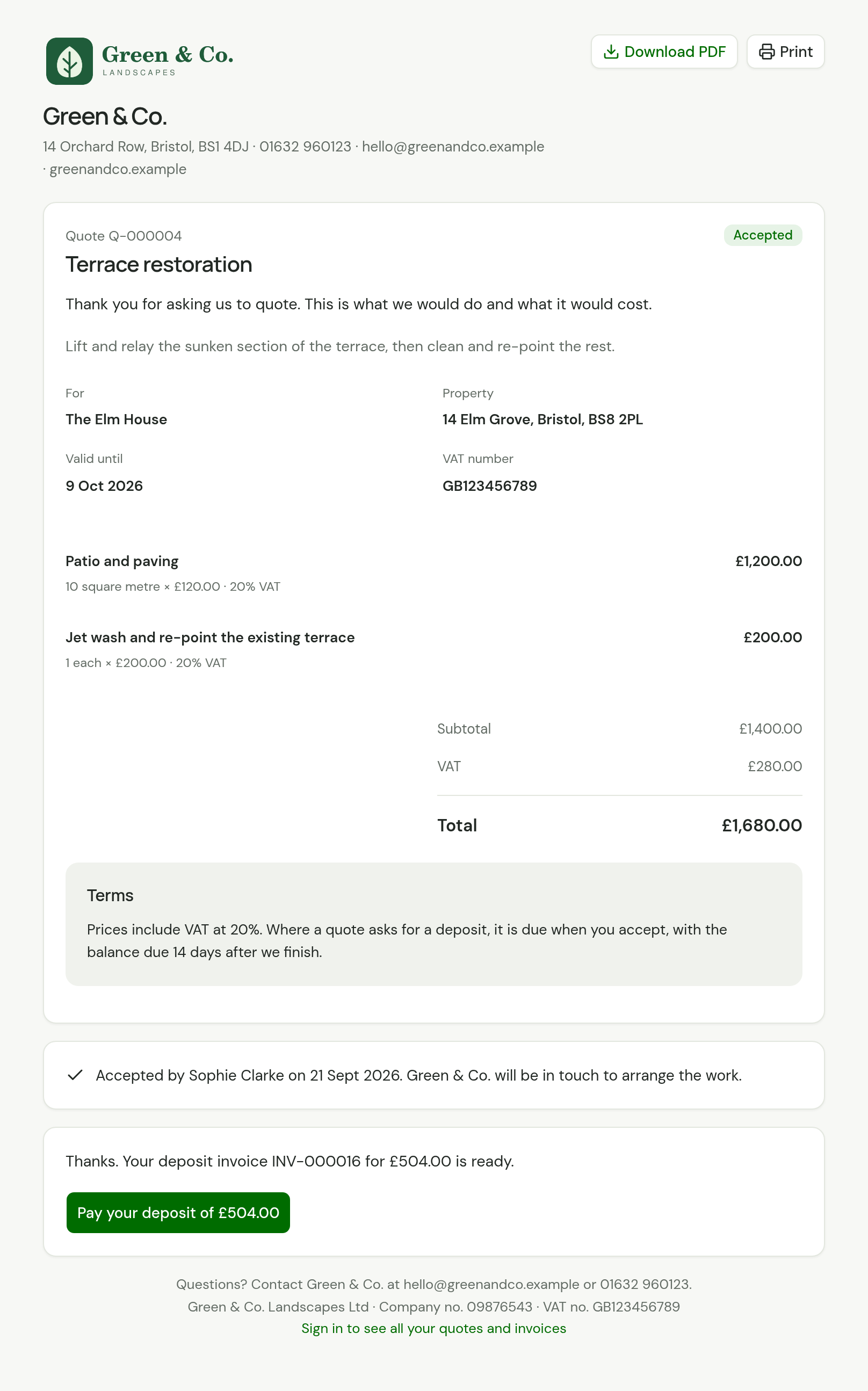
The button opens the deposit invoice's own page. There they pay online if you take payment online, or read your bank details.
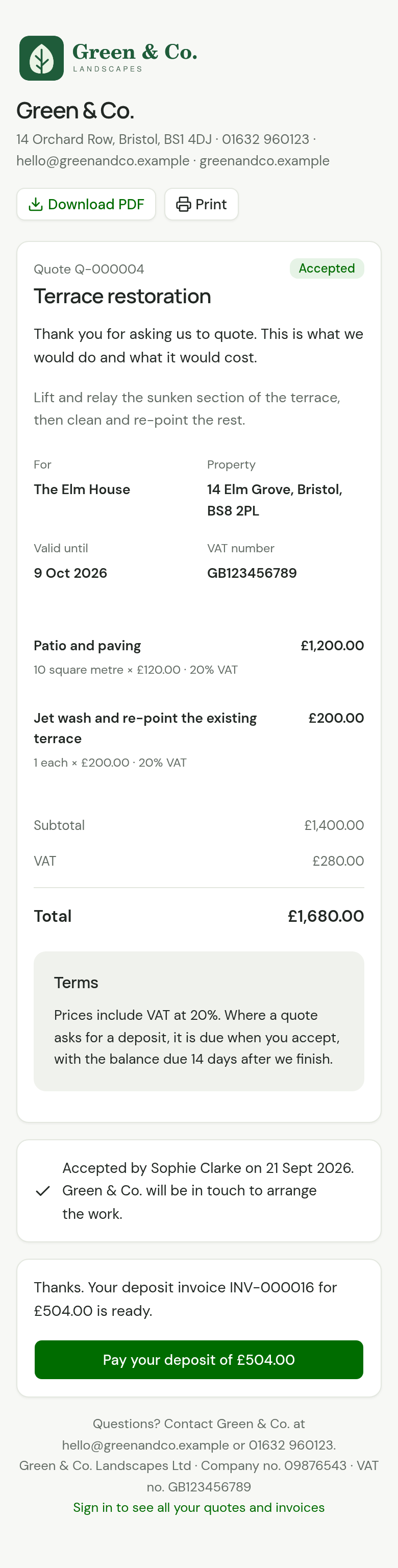
The card follows what is left to pay on that invoice. Once it is paid, it reads "Thanks. Your deposit invoice INV-000016 for £504.00 is paid." and the button becomes View your deposit invoice. If they have paid part, it says how much is left.
A customer with a Direct Debit in force is not asked to pay. The card reads "Thanks. Your deposit of £240.00 will be collected by Direct Debit on or just after 16 Nov 2026. There’s nothing you need to do.", with View your deposit invoice.
The email goes to the Email address you hold for the customer, never to an address typed into the page when accepting. It is listed under Sent on the customer's page as Invoice emailed. A customer with no email address still gets the invoice: it is issued, for you to print or hand over.
You record the acceptance
The Record acceptance dialog warns you first: "This issues an invoice for the deposit of £253.80. It isn’t emailed: send it from the invoice when you’re ready."
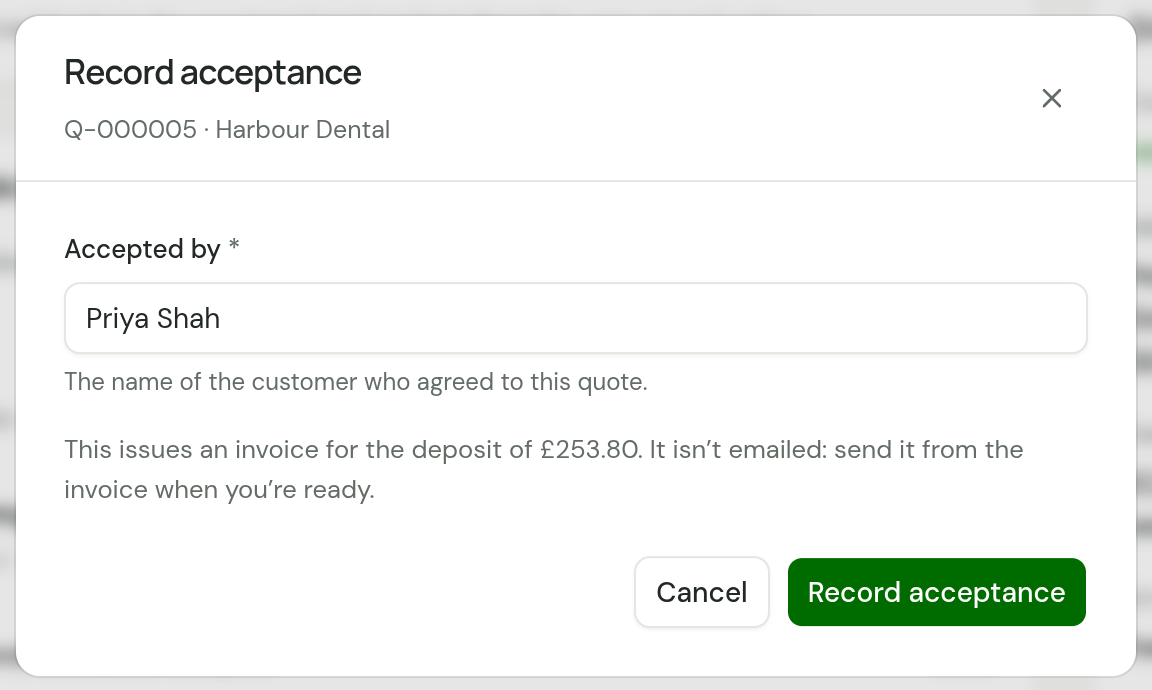
Nobody is emailed, because you are on the phone to the customer or holding their signature. Open the deposit invoice from the quote's Deposit invoice panel and send it.
The deposit invoice
It is an ordinary invoice, marked Deposit.
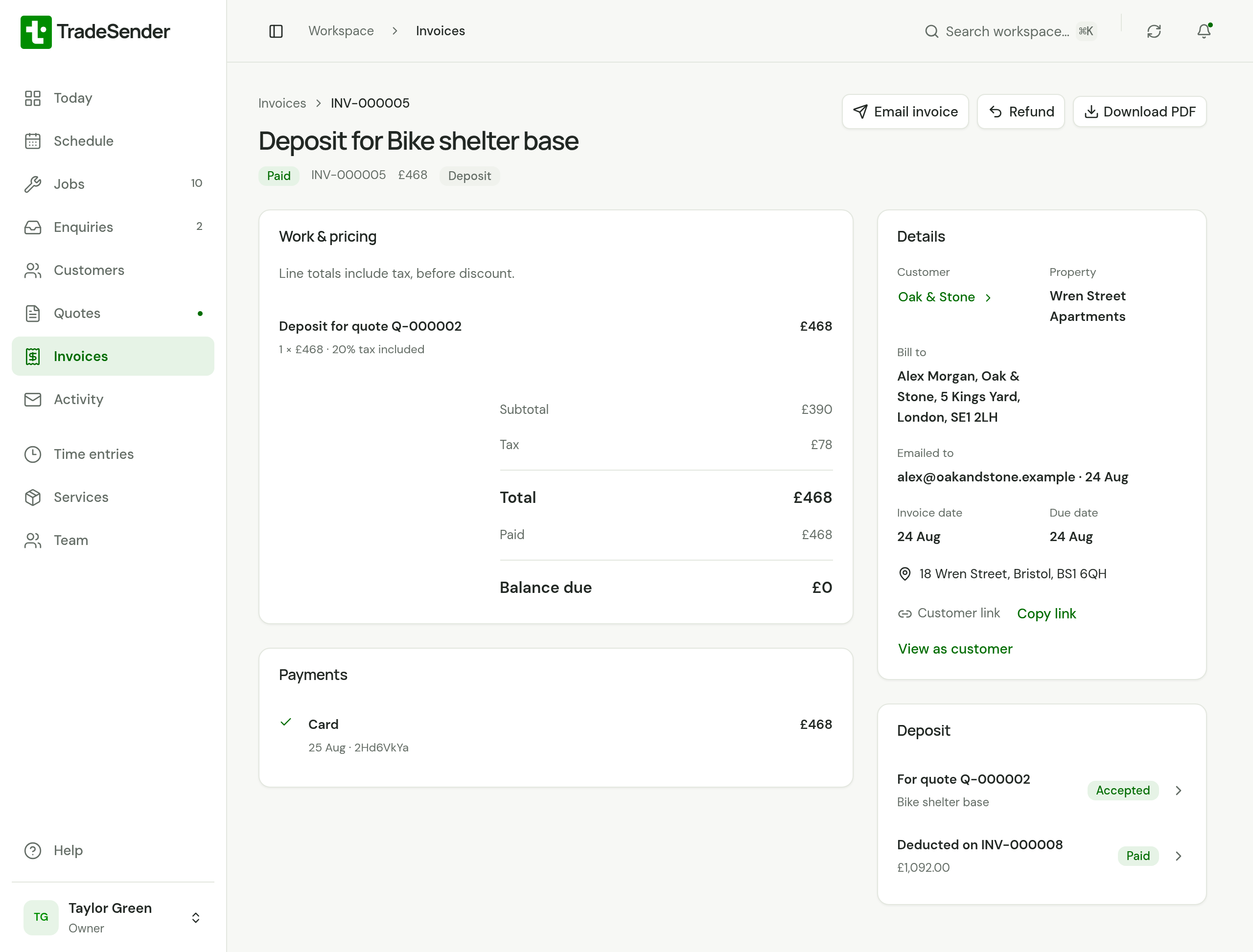
| Part | What it is |
|---|---|
| Title | "Deposit for" and the quote's title |
| Number | The next invoice number, like any invoice |
| Invoice date and Due date | Both the day the quote was accepted, whatever payment terms the customer has |
| Lines | One line, "Deposit for quote Q-000002", for the amount you asked for with its VAT inside it. A quote with more than one VAT rate gets a line for each rate |
| Deposit panel | The quote it is for, and the invoice that took it off. Until one has, it reads "Still to be deducted. It comes off the invoice for the work." |
You send it, record payments on it, and your customer pays it as they pay any invoice. It is in their portal, marked Deposit. In your Invoices list its row reads "Deposit" before its number.
It is due the day the quote is accepted. So it reads Overdue from the next day, and if you have overdue reminders switched on, the first reminder goes 3 days after that due date.
The invoice for the work
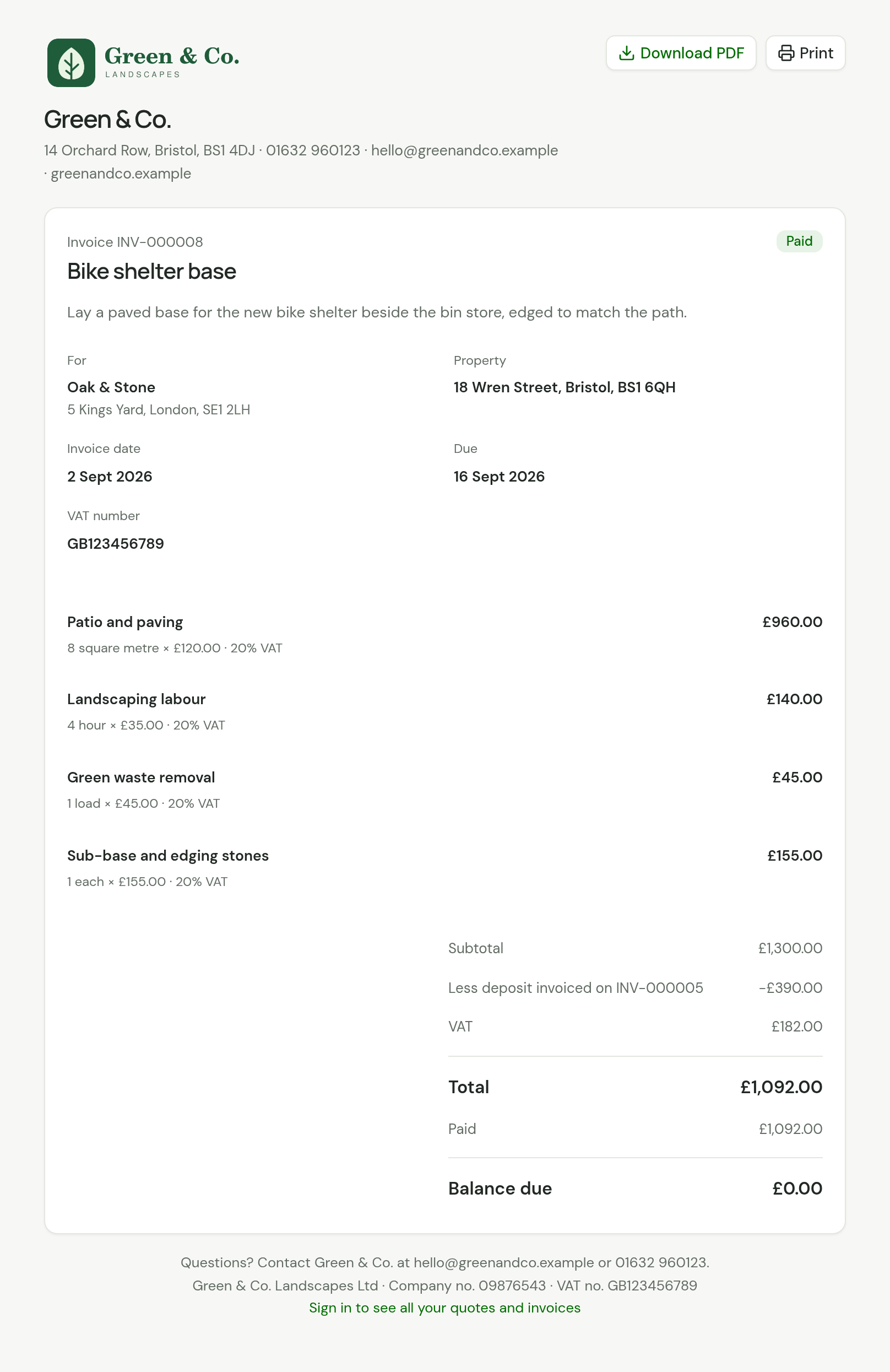
Create the job from the quote and invoice it as you always do: see Turn a quote into a job and Invoice a job. Until the job is invoiced, its page says what is waiting: "The deposit of £468.00 on INV-000005 is still to be deducted. It comes off this job’s invoice."
The job's invoice takes the deposit off by itself, on a line above the VAT: Less deposit invoiced on INV-000005.
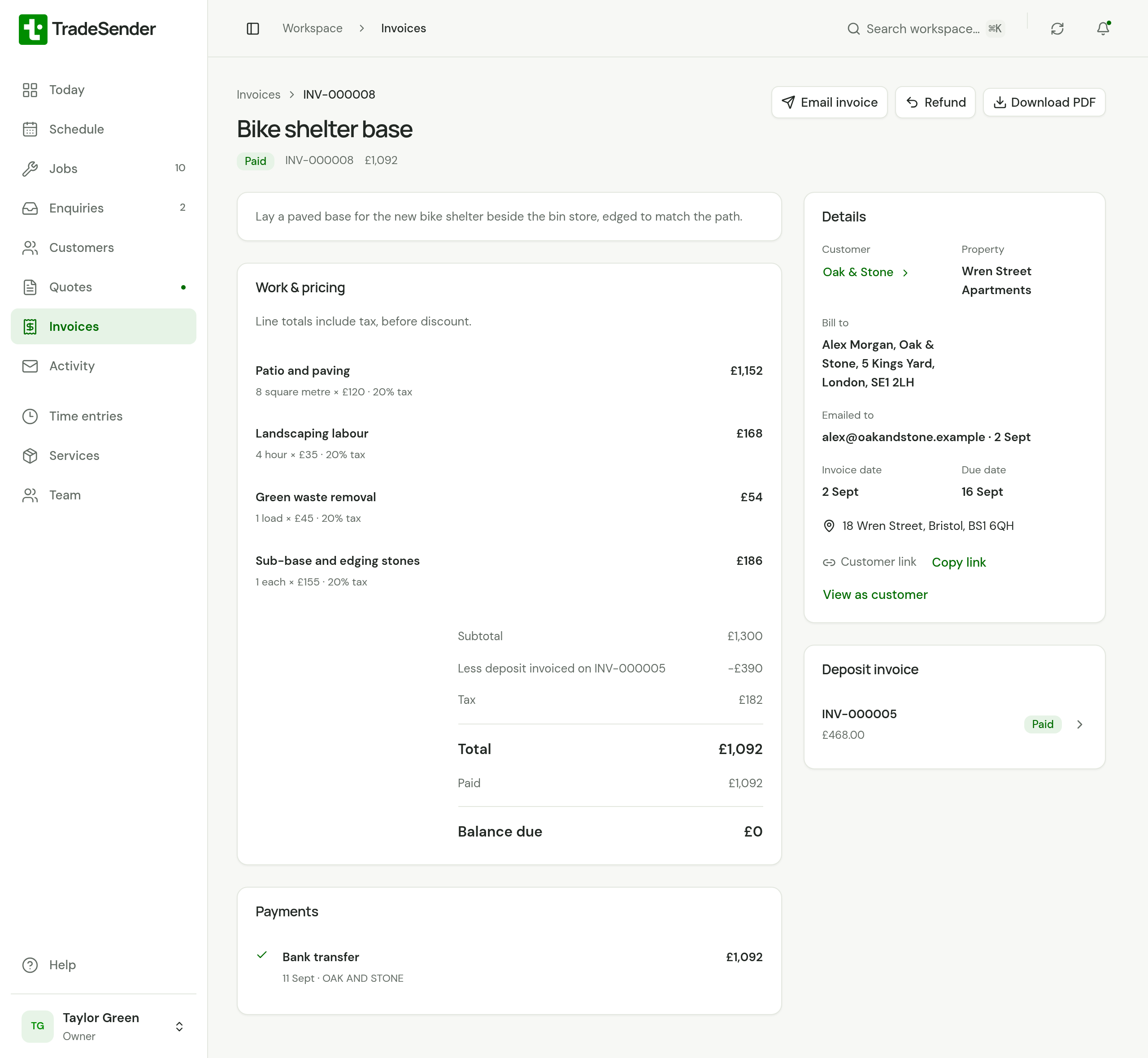
For a £1,560 quote with a £468 deposit, both at 20% VAT:
| Before VAT | VAT | Total | |
|---|---|---|---|
| The quote | £1,300.00 | £260.00 | £1,560.00 |
| The deposit invoice | £390.00 | £78.00 | £468.00 |
| The invoice for the work: £1,300.00, less the deposit's £390.00 | £910.00 | £182.00 | £1,092.00 |
| The two invoices together | £1,300.00 | £260.00 | £1,560.00 |
- What comes off is the deposit before VAT. The VAT on the deposit was charged on the deposit invoice, so the invoice for the work charges only the VAT that is left.
- The two invoices add up to the quote. While the job's lines are the quote's, their totals and their VAT come to the quote's, to the penny. The one exception is a deposit within a few pence of the whole quote: the totals still match, and the VAT can be a penny or two more.
- It comes off whether or not the deposit has been paid. The deposit invoice is a debt of its own. A customer who has paid neither owes both.
- It comes off once. If you void the invoice that took it off, the one you raise in its place takes it off again.
- Your customer sees the same line on the invoice's page and on its PDF.
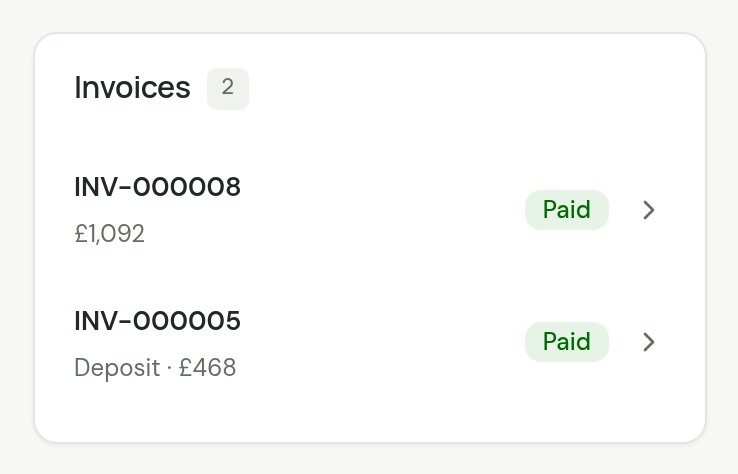
The job's page lists both invoices under Invoices, the deposit as "Deposit · £468".
An invoice you start yourself with New invoice takes the deposit off only when you choose the job under Related job. Left on Standalone invoice, it bills in full and the deposit waits for the job's own invoice.
VAT on a deposit
This is how TradeSender treats VAT on a deposit. It is not tax advice. If you are unsure, ask your accountant.
- The deposit invoice is a VAT invoice in its own right, dated the day the quote was accepted.
- Issuing it sets the tax point for the deposit. So the VAT on a deposit is due from the day of acceptance, in the VAT return for that period, whether or not your customer has paid it yet. The exception is a business on the Cash Accounting Scheme, which accounts for VAT when the money arrives.
- The invoice for the work charges the VAT on its lines, less the VAT the deposit invoice already charged. VAT is charged once across the two.
If you are not VAT registered, none of this applies: the deposit invoice has one plain line and the invoice for the work takes the whole deposit off.
A deposit on a round
While a deposit is waiting on a job billed by the visit, the job's page says how large an invoice it needs: "The deposit of £240.00 on INV-000041 is still to be deducted. It comes off the first invoice that comes to £240.00 or more, VAT included. A smaller invoice takes nothing off."
So for a round:
- Keep the deposit smaller than one invoice, or
- invoice enough visits together that one invoice covers it, or
- ask for no deposit, and bill the first visit promptly.
A job billed When the job is complete has one invoice for the whole price, and that invoice always takes the deposit off. That is the work a deposit is for.
When plans change
| What happened | What to do |
|---|---|
| The work is off, and the deposit has not been paid | Open the deposit invoice and choose Void invoice. Nothing will take it off |
| The work is off, the deposit was paid online, and you are giving it back | Open the deposit invoice, choose Refund and, under what happens next, Void the invoice. Stripe sends the money back to your customer's card or bank account. See Refund a payment |
| The work is off, the deposit was paid by bank transfer or cash, and you are giving it back | Pay the money back. Then open the deposit invoice, choose Refund and, under what happens next, Void the invoice. See Refund a payment you recorded. TradeSender makes no credit note: raise one in your accounts software if your accountant wants it |
| The work is off and you are keeping the deposit, as your terms allow | Leave the deposit invoice as it is. Cancel the job, or do not create one |
| You invoiced the work and it was wrong | Void that invoice and create it again from the job. The new one takes the deposit off again |
| The price of the job has gone down | Change the job's lines before you invoice it. The invoice takes the deposit off the new price. If the job now comes to less than the deposit, the invoice takes off everything on it and totals nothing, and your customer has paid more than the work cost: pay back the difference yourself |
A deposit invoice cannot be written off, because the whole deposit comes off the invoice for the work. An ordinary invoice that was paid short can be: see Write off what will not be paid.
Voiding a deposit invoice means your customer is no longer asked for it, so it is never taken off. It stays on the quote and on the job, marked Deposit and Void. A draft invoice that had taken it off goes back to its full amount. An invoice you have already sent keeps the deduction it was sent with, so voiding a deposit after that writes the money off.
Good to know
- A quote has one deposit. There is no second payment stage.
- Your margin is not changed by a deposit. It changes when you are paid, not what the work is worth.
- Ready to invoice on Today counts a job for what its invoice will come to, less a deposit that invoice will take off. The deposit is counted already, as its own invoice.
- A customer with a Direct Debit in force has the deposit invoice collected like any other, and the quote's page tells them the day.
- In Export invoices, the amount taken off is in its own column,
deposit_deducted. See Import customers and export your records. - If you ask a connected AI assistant to record a quote as accepted, it is told to say that this issues a deposit invoice, with the amount, and wait for a yes.
Checked against the app on 29 October 2026. Still stuck? Ask usAsk us.