Bill per visit
Invoice a round by the visit, whenever you like, with a dated line on the invoice for every visit.
Owners and office members invoice visits, on the web and in the iPhone and Android apps. This page follows the web.
A round never finishes, so it cannot be billed When the job is complete. A job billed per visit stays Active, and you invoice its finished visits whenever you like: after every visit, or several together. It is the same button either way.
If you invoice your rounds once a month, there is a setting for that. At month end bills a job in the same way, holds its visits back until the month is over, and invoices every such job in one run. See Invoice at month end.
Set the job up
A job is billed per visit when its Bill is After each visit.
- On a new job, ticking Repeats sets Bill to After each visit for you.
- On any other job, choose Edit details and set Bill yourself. A one-off job with several visits can be billed this way too.
The job's line items are then the price of one visit. For a fortnightly mow at £35, the job has one line for £35, however many visits it has. See Create a job.
Once one of the job's visits has been invoiced, Bill can only move between After each visit and At month end.
Invoice the finished visits
-
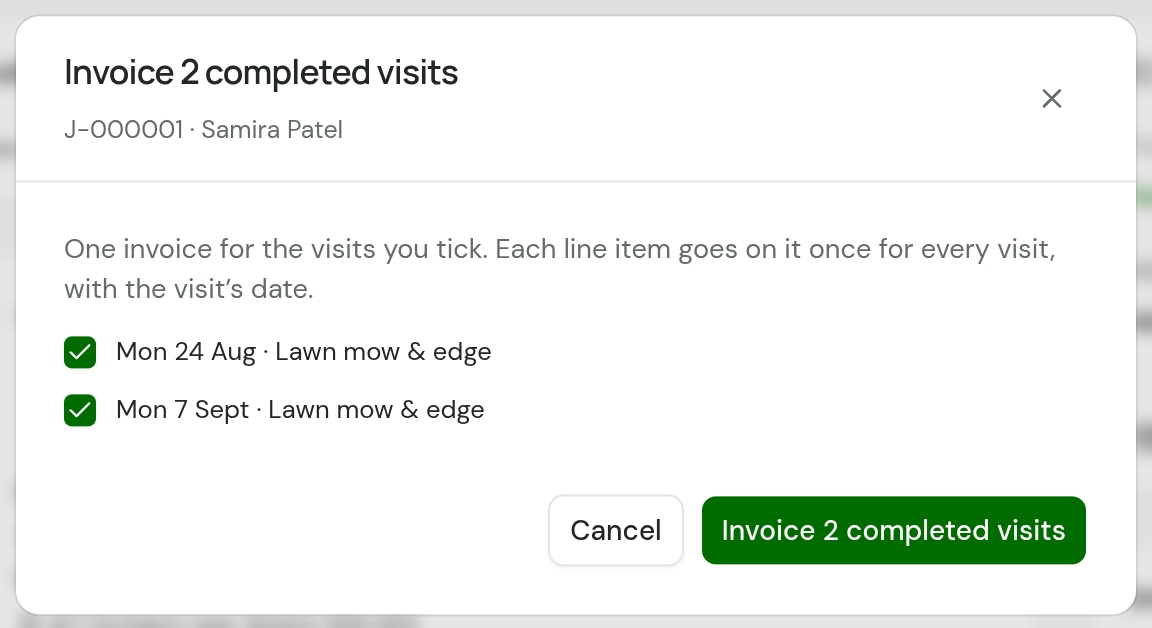
Open the job. When it has finished visits that are not on an invoice, its page shows a button that counts them, such as Invoice 2 completed visits. A finished visit's card on Today has Create invoice, which invoices every visit that is waiting.
-
Choose it. Each visit is listed with its date and a tick box, and all of them are ticked.
-
Untick any visit to leave it off, such as one the customer paid for in cash or one in dispute. It stays waiting for a later invoice.
-
Choose the button, which now counts the visits you ticked. A draft invoice opens.
If the job has no price yet, the button reads Add pricing to invoice. Add the lines and choose Save and create invoice. The draft covers every finished visit that was waiting.
What the invoice looks like
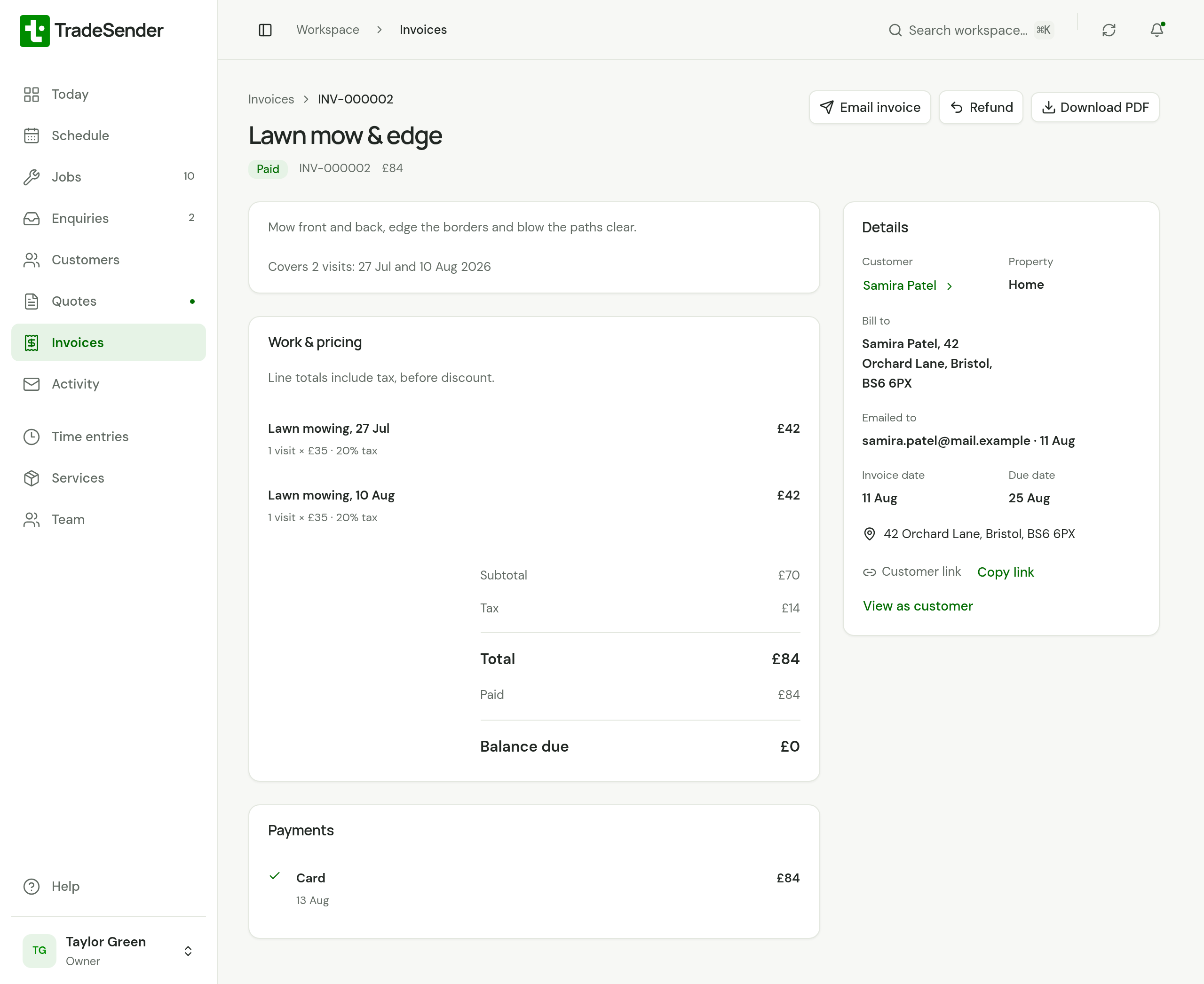
- One line for each visit. Every line item on the job goes on the invoice once for each visit, in date order, with the visit's date after its description: "Lawn mowing, 27 Jul". A job with two lines and three visits makes six lines.
- The description says what it covers. It is the job's description, then a line such as "Covers 2 visits: 27 Jul and 10 Aug 2026".
- A discount is counted once for each visit. A £5 discount on the job is £10 on an invoice for two visits.
The invoice is a draft, so you can edit it before it goes. From here it is like any other invoice: see Send an invoice.
What "to invoice" means
A visit is waiting to be invoiced when all of these are true:
- Its job is billed After each visit.
- The visit is finished.
- It is not on an invoice. A draft invoice counts as an invoice.
A job billed At month end adds one more: the visit was booked for a month that is over.
| What you see | Where |
|---|---|
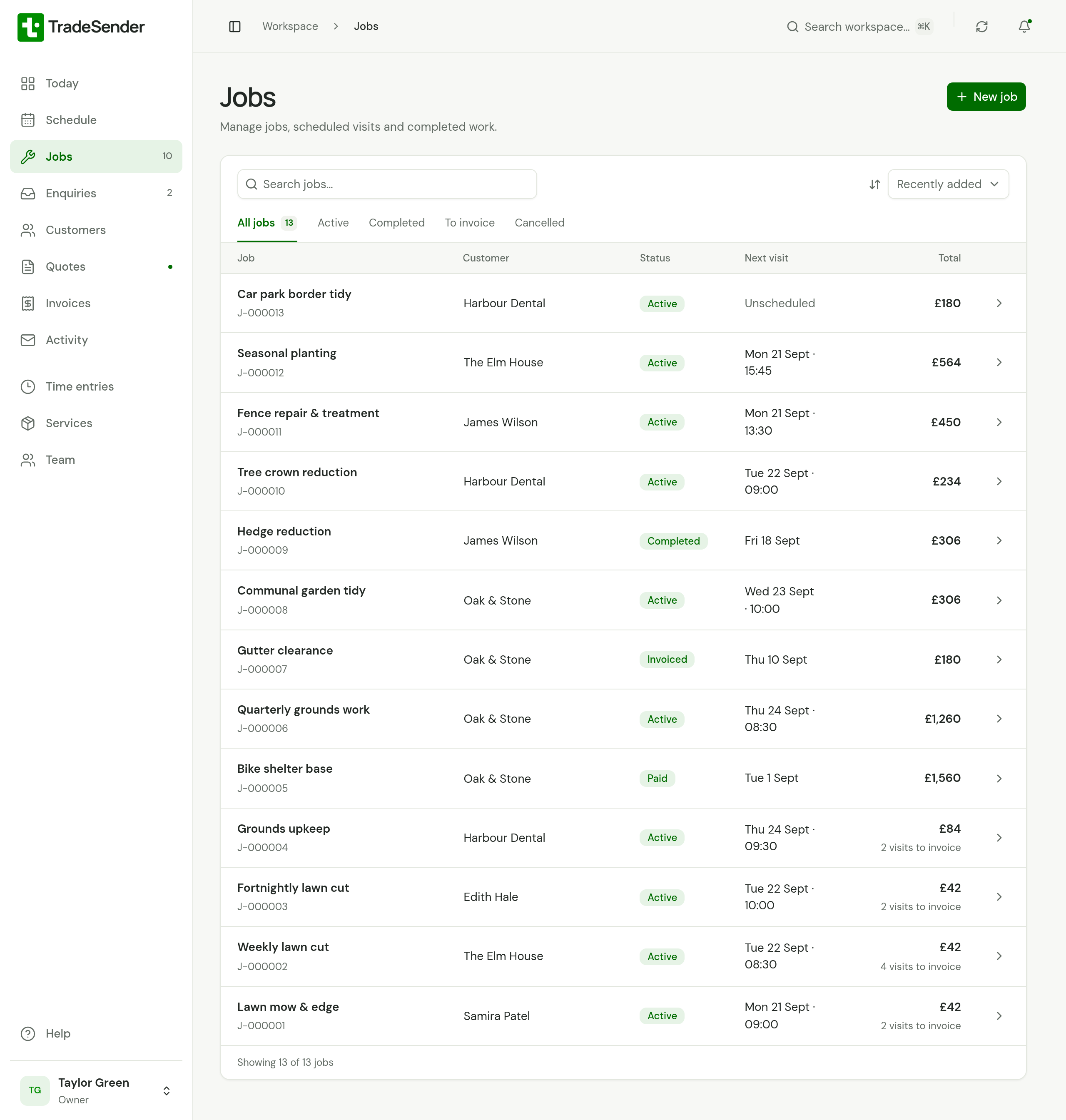
| "2 visits to invoice" under the job's total | The Jobs list |
| The job, under To invoice | The Jobs list's filters |
| Visits to invoice | Needs attention on Today, and the bell at the top of the page |
| Ready to invoice, with what the invoices would come to | Work in hand on Today |
On the visit itself
A finished visit's page names its invoice under Invoice. While the invoice is a draft it reads "On draft" and the number. Once the invoice is emailed or marked as sent, the visit reads Invoiced.
If an invoice was wrong
Void the invoice. Its visits go back to waiting, and you can invoice them again. See Send an invoice.
Good to know
- A finished job billed per visit can still invoice the visits it has left. A cancelled job cannot be invoiced.
- Older invoices, raised before this changed in October 2026, show each line once, with its quantity multiplied by the number of visits.
- TradeSender does not raise these invoices by itself. Nothing is invoiced until you choose the button.
Checked against the app on 29 October 2026. Still stuck? Ask usAsk us.