How customers sign in
What a customer does to sign in to their portal, how long they stay signed in, and how to cut off access when a link has gone astray.
There are no passwords. A customer is signed in by a link: the one in a quote or invoice email, one you send them, or one they ask for themselves.
Asking for a link
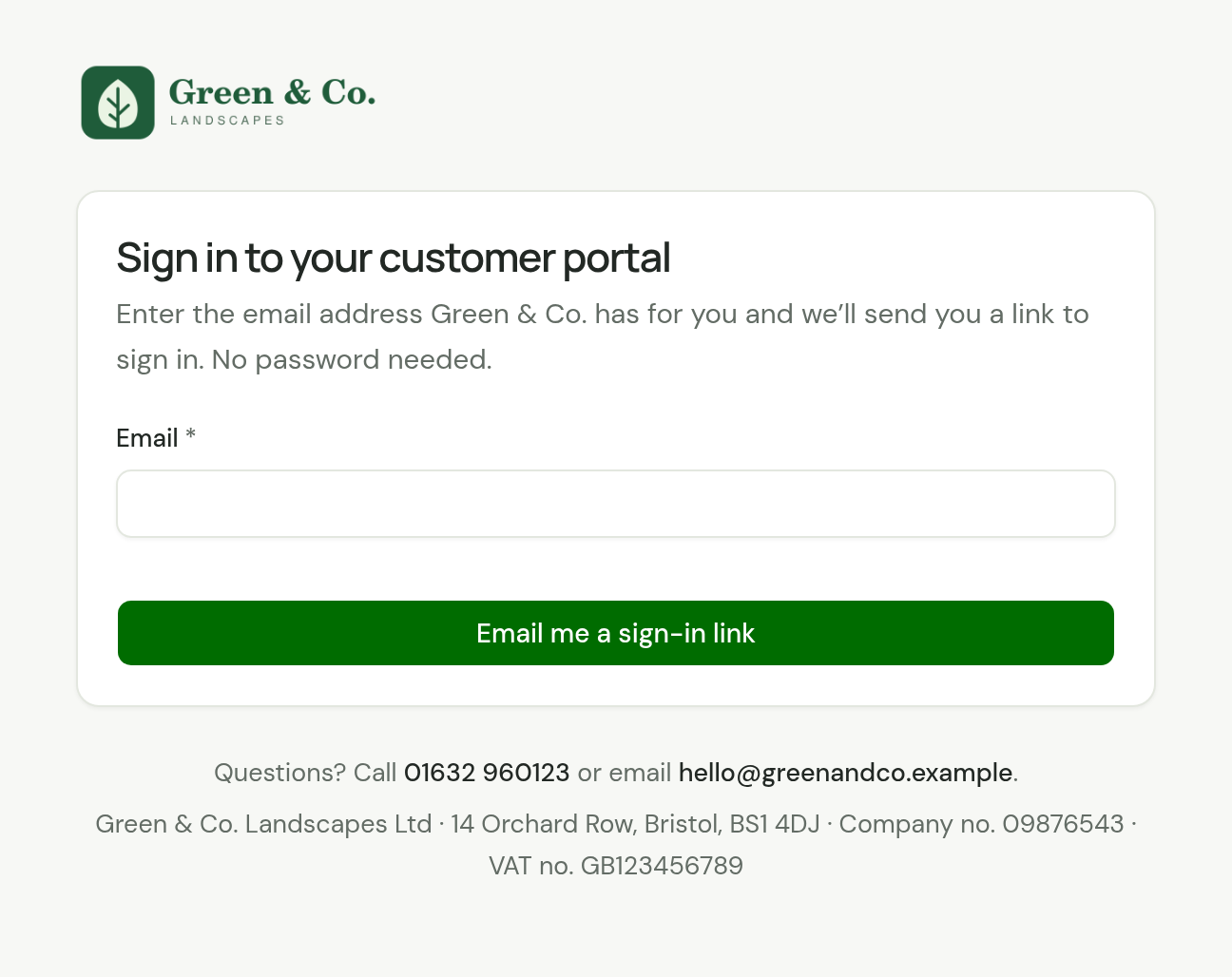
A customer who opens your portal address without being signed in sees Sign in to your customer portal.
-
They enter the email address you have for them and choose Email me a sign-in link.
-
The page says Check your email. It says the same whether or not the address matched, so nobody can use it to find out who your customers are.
-
The email arrives from your business with a link. The link works for 30 minutes.
The email goes only to the address on the customer's record, never to the address typed in and never to an additional contact. If you hold that address for more than one customer, the one email carries a link for each.
A customer whose email address you do not have cannot ask for a link. Add it to their record, or send them their sign-in link yourself: see Give a customer their way in.
Staying signed in
A browser stays signed in for 30 days. After that the portal asks for the email address again.
Log out signs out the browser it is chosen in. It does not sign out the customer's other devices.
What the customer may see
| They see | It means |
|---|---|
| Check your email | A link is on its way, if the address is one you hold. It works for 30 minutes. |
| "That sign-in link has expired or been replaced. Enter your email for a new one." | The link is over 30 minutes old, or you reset their access. |
| "Your sign-in has expired. Enter your email for a new link." | Their 30 days are up, or you reset their access. |
| "Too many tries. Wait a little while, then try again." | The page was asked for links too often. See the limits on this page. |
| This link isn't valid | The portal address is wrong. Give them the address from Settings, Website and portal. |
Reset a customer's access
Do this when a sign-in link, or a quote or invoice email, has reached someone it should not have. A forwarded email signs its reader in as your customer until you reset.
-
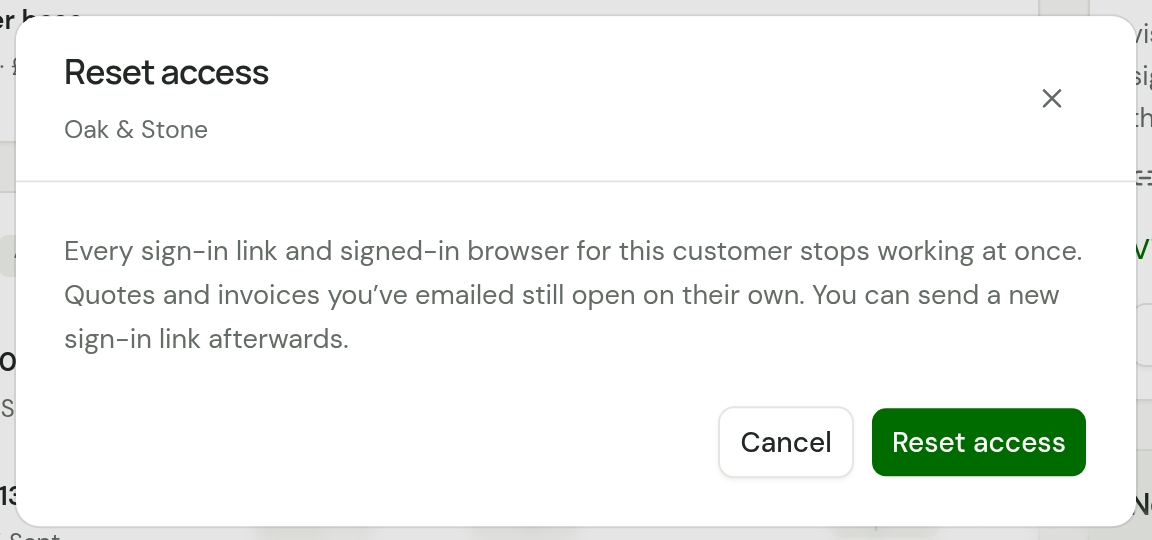
Open the customer. Under Customer portal, choose Reset access.
-
Read what it does, then choose Reset access again.
At once:
- Every sign-in link for that customer stops working.
- Every browser signed in as them is signed out.
- The links in quotes and invoices you emailed earlier no longer sign anyone in.
Those quote and invoice links still open their own quote or invoice. A link to a single document cannot be withdrawn.
Afterwards, send the customer a new sign-in link. Resetting one customer does not touch any other.
Limits
To keep the sign-in page from being used to send unwanted email:
- One email address can be sent five sign-in links an hour.
- One portal can send 100 sign-in emails a day.
- One internet address can ask ten times in 15 minutes.
These emails do not count towards the 100 quote and invoice emails a day. A sign-in link you send yourself from a customer's page does.
Checked against the app on 18 October 2026. Still stuck? Ask usAsk us.