What TradeSender is
What TradeSender keeps for a lawn care, gardening or landscaping business, how a piece of work moves through it, and what it leaves out.
TradeSender is software for running a lawn care, gardening or landscaping business in the UK. Your customers, quotes, jobs, visits, time, invoices and payments sit in one workspace that you and your team share. You use it in a web browser at https://app.tradesender.co.uk and in the iPhone and Android apps.
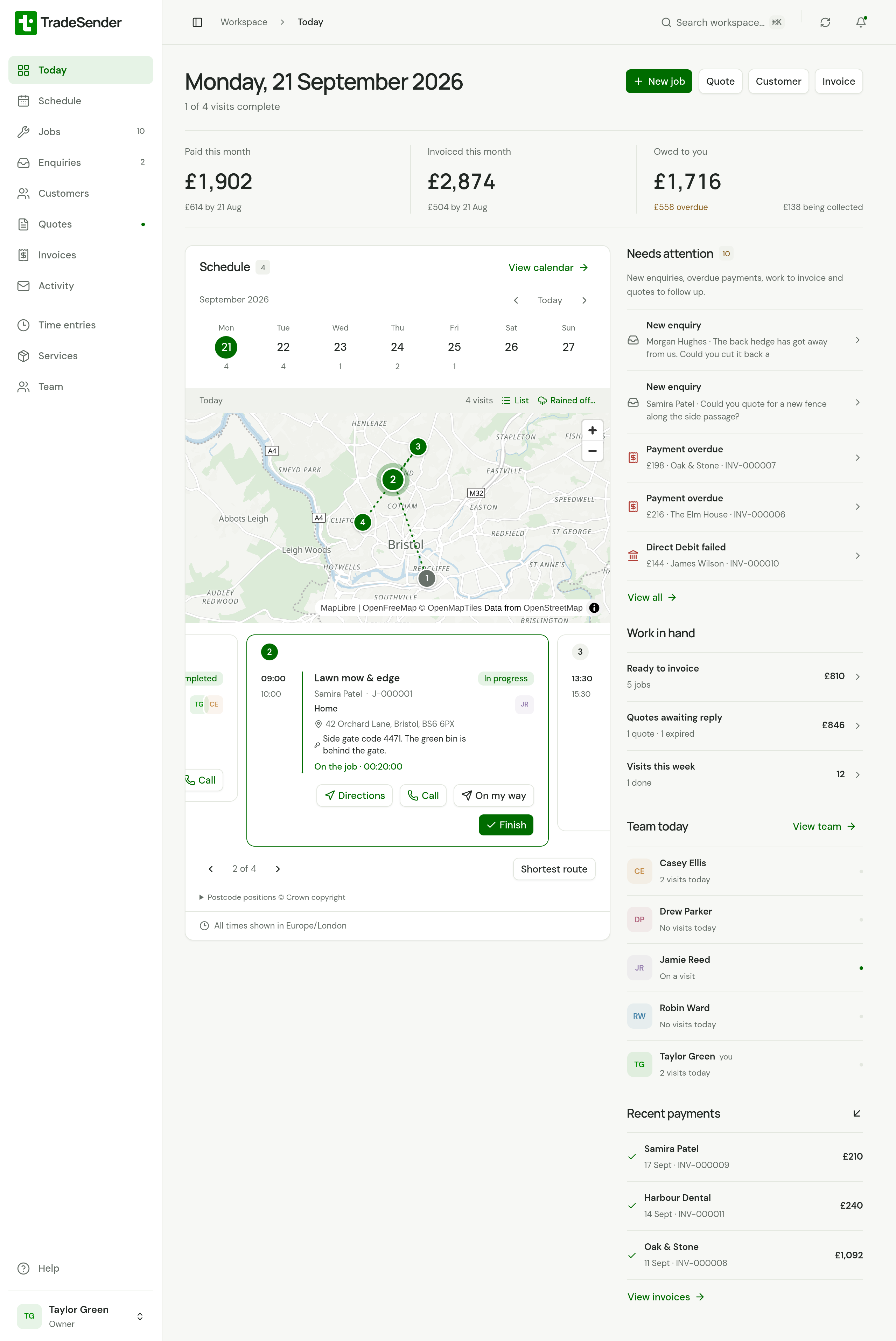
What you keep in it
| Area | What it holds |
|---|---|
| Customers | People and businesses, each with their contacts and the properties you look after, and notes such as a gate code. Each customer's page shows their work, what they owe and what you have emailed them |
| Services | Your price list, with what each service costs you if you want margins. Quotes, jobs and invoices are built from it |
| Quotes | Priced work you email to a customer, who can accept it online |
| Jobs and visits | A job is the work and its price. Visits are when it happens and who goes. A job can repeat, all year or for the season, for a mowing round |
| Schedule | Visits and time off by day, week or month, and a day's stops in an order to drive them |
| Time | Timers started from a visit, and time you add by hand |
| Invoices and payments | Invoices raised from a job and emailed to the customer, one at a time or a whole round at month end, and the payments you record against them |
| Emails to customers | Quotes and invoices you send, and reminders TradeSender can send by itself |
| Customer portal | A page of your own where each customer sees their quotes, booked visits, finished work and invoices |
How a piece of work moves
- Add the customer and the property you will work at.
- Send a quote. The customer accepts it online, or you record their yes.
- Turn the accepted quote into a job. When no quote is needed, start with the job.
- Book visits on the job and choose who goes. A repeating job books its visits for you.
- Start and finish each visit on the day. Time and photos stay with the visit.
- Raise an invoice from the job, when it is complete, after each visit or at month end, and email it.
- Record the payment when it arrives.
You do not have to use every step. A gardener who never quotes can go from customer to job to invoice.
On the web and on a phone
The web app runs in a browser, on a computer or a phone. Owners and office members do everything there, settings included.
The iPhone and Android apps do the same day-to-day work. Without signal they save your changes on the phone and send them when you reconnect: Working without signal says what that covers. A few settings are on the web only. See Get the iPhone app and Get the Android app.
On an Android phone, Chrome can also put the web app on your home screen. The web app needs a connection. See The web app on an Android phone.
What it connects to
- Your own AI assistant. Connect Claude, ChatGPT or Codex and ask for things in plain words. See Connect your AI assistant.
- Your website. A form people fill in to ask for work, which lands in Enquiries. See Enquiries from your website.
- Your own mailbox. Send quotes and invoices from your own address through Google, Microsoft or SMTP. See Send from your own mailbox.
- Your own software. Developers can use the API with a key. See Build on TradeSender.
What it does not do
- Sync with accounting software such as Xero or QuickBooks. You can export your invoices as a file Xero imports.
- Send text messages. Every message to a customer is an email. You can copy a customer's link and send it yourself.
- Feed your schedule into another calendar app.
- Tell other software when something changes (webhooks).
- Include an AI of its own. You connect yours.
Where to go next
- Create your account
- Set up your business
- Find your way around
- Roles: owner, office and technician
- The web app on an Android phone
- Get help from TradeSender
Then follow the work: Customers, contacts and properties, Your price list, Create and send a quote, Create a job, Invoice a job and Invite your team.
For what each plan allows, see Plans and limits.
Checked against the app on 29 October 2026. Still stuck? Ask usAsk us.