Disconnect or pause
Disconnect Xero from TradeSender, what stays in your books, what happens on the Free plan, and what else ends the connection.
Only an owner can disconnect, in the web app. What is already in Xero stays there: disconnecting stops anything more going across, and stops payments coming back.
Disconnect
-
Open Settings, then Connected apps, and choose Xero. Its card reads Connected, with Manage.
-
At the foot of Xero's sheet, choose Disconnect from Xero.
-
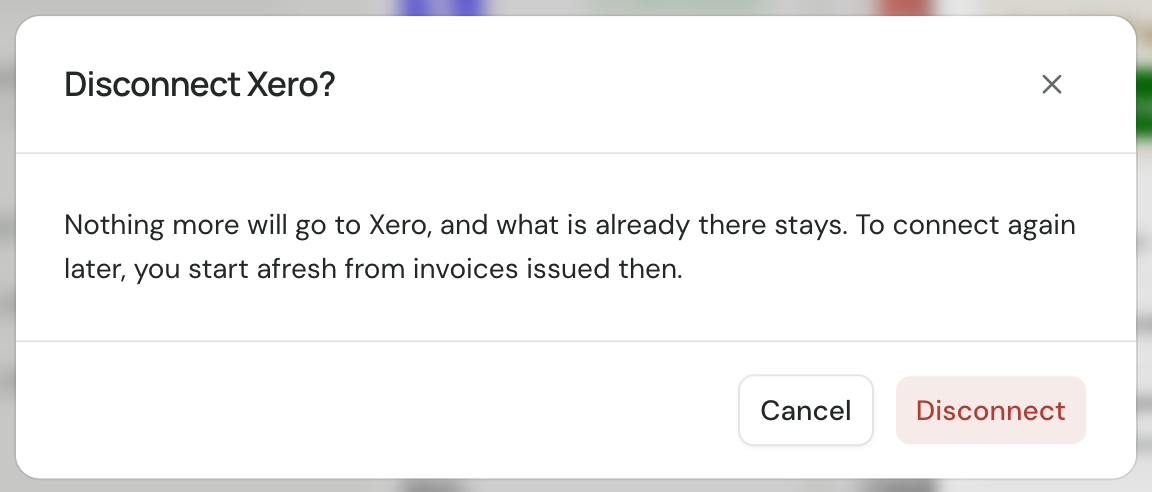
TradeSender asks "Disconnect Xero? Nothing more will go to Xero, and what is already there stays. To connect again later, you start afresh from invoices issued then." Choose Disconnect.
TradeSender then asks Xero to remove its access to that organisation, so it stops listing TradeSender among its connected apps. Only this organisation's connection ends: one you connected to another TradeSender workspace with the same Xero login stays connected. The sheet stays open and offers Connect to Xero again, and Xero's card reads "Invoices, payments and write-offs go there by themselves." once more.
Connecting again
Connecting again, to the same organisation or another, is a fresh start. Only invoices issued from that moment go across. Invoices issued while you were disconnected, and changes to invoices that went before, stay out: enter them in Xero yourself, or ask your accountant.
To move to another organisation, disconnect, then connect and choose the new one. You cannot switch while connected.
If the sheet says Xero needs reconnecting, choose Reconnect Xero instead. That keeps your place: everything since you first connected goes across. See Reconnect.
On the Free plan
If your workspace moves to Free, the connection stays and nothing goes across. The card in Settings, Connected apps and the sheet say "Paused: your plan doesn't include accounting sync. Upgrade and everything since will catch up." In the sheet, Paused stands beside your organisation's name, and an owner sees See plans after the line. TradeSender keeps note of every invoice, payment and write-off meanwhile. No morning email goes while it is paused.
Move back to Pro or Business and everything since the pause goes across by itself, so your books have no gap.
Xero stops accepting TradeSender after 60 days without use. After a longer pause, choose Reconnect Xero when you come back, and everything still catches up.
What else ends the connection
| What happens | What ends |
|---|---|
| Someone disconnects TradeSender in Xero | TradeSender's access. Its card and sheet in Settings, Connected apps ask you to reconnect, and nothing is lost meanwhile |
| An owner deletes the workspace | The connection. TradeSender removes its access in Xero, and what went across stays there |
| The owner who connected leaves or is removed | Nothing in TradeSender: the connection belongs to the workspace. If they also lose their access in Xero, the sheet may ask you to reconnect |
Good to know
- Disconnecting deletes nothing in Xero and nothing in TradeSender. Your invoices and payments stay as they are on both sides.
- Payments recorded in Xero after you disconnect do not come back. Record them in TradeSender yourself.
- Export for Xero still works, connected or not. Export only invoices from before you connected, so nothing goes to Xero twice. See Export invoices for Xero.
Checked against the app on 10 November 2026. Still stuck? Ask usAsk us.